
.png)
Prefer listening?
Hear the audio version of this article here:
Searches for a "LinkedIn automation tool without getting banned" usually assume there is a setting, tool, or activity limit that removes account risk. There is not. LinkedIn says unauthorized third-party software that scrapes data or automates activity on its website is not permitted. A safer strategy starts with that policy reality, then reduces avoidable risk through relevant outreach, clear controls, human review, and careful data handling.
This guide explains what safe LinkedIn automation means in practice, where the main account and compliance risks sit, and how to evaluate Salesflow outreach controls without treating any automation product as a guarantee against restriction.

Is LinkedIn automation Legal and Safe in 2026?
This is the question everyone Googles (or now, ChatGPTs) right before investing in their first LinkedIn automation tool.
The answer?
It’s complicated, and intentionally so.
LinkedIn’s public stance is crystal clear: no bots, no scrapers, no shortcuts. But the reality on the ground? Let’s just say if LinkedIn banned every user who automates outreach, half of B2B sales would disappear overnight.
Like most platform policies, enforcement isn’t black and white; it’s more like “don’t be obvious and don’t make us look bad.”
From a legal standpoint, LinkedIn automation isn’t going to land you in jail (unless you’re doing something really wild like scraping personal data en masse and selling it to Russian bot farms).
Safe? That depends entirely on how you do it, who you’re targeting, and how fast you push the limits.
Before you fire up your favorite tool (we hope it’s us!) and start auto-messaging everyone with the title of “VP of Revenue,” let’s unpack what legal and safe means in 2026, and what you need to know before getting started.
LinkedIn policy is stricter than a "grey area"
LinkedIn explicitly prohibits unauthorized bots, crawlers, browser extensions, plug-ins, and other tools that automate activity or scrape information. Its automated activity guidance also explains that accounts can be restricted when the platform detects activity associated with prohibited tools. That is different from saying automation is unofficially tolerated below a certain volume.
LinkedIn knows this. They don’t love it, but they tolerate it.
The practical takeaway is simple: do not plan around staying "under the radar." Plan around policy, account security, relevance, and the smallest amount of automation needed to support a legitimate sales process.
What the main risks actually are
Account restriction is the most obvious risk, but it is not the only one. Poor automation can create irrelevant messages, damage sender reputation, expose credentials, duplicate outreach across team members, or move prospect data into systems without a clear business purpose.
Privacy rules also depend on the market and the data you process. Under the EU General Data Protection Regulation, legitimate interests can be a lawful basis in some direct-marketing contexts, but it requires a real balancing assessment and attention to the person's reasonable expectations. It is not a blanket exemption for B2B prospecting.
If your sequence adds commercial email, email-specific rules apply too. In the United States, the FTC CAN-SPAM guidance governs commercial email requirements such as accurate headers, identification, a valid postal address, and an opt-out method. CAN-SPAM is an email rule, not a rule that makes LinkedIn direct messages compliant by itself.
How to reduce account risk with safe LinkedIn automation
Safe LinkedIn automation is less about finding a magic number and more about removing the behaviours that make outreach reckless: sudden spikes, low-relevance targeting, duplicate messages, unattended sequences, poor credential handling, and campaigns that keep contacting someone after they reply or decline.
Start with account health and platform signals
LinkedIn does not publish a universal daily chart that guarantees a specific number of connection requests or messages is safe. Its invitation-limit guidance says restrictions can follow excessive invitations, a high rate of ignored or marked-as-spam invites, or the use of prohibited automation. Treat any LinkedIn warning, prompt, or restriction as a stop signal rather than a volume target to work around.
New or lightly used accounts should first look like genuine professional profiles. Add a clear photo, role, About section, experience, and relevant activity before beginning outbound campaigns. A complete profile also gives prospects context when they check who contacted them.
Keep a human in the decision loop
Automation should handle repetitive administration, not replace judgment. Review target lists before launch, inspect personalization fields, spot-check messages, and make sure the sequence pauses when a prospect responds. If a message would be embarrassing when read by the wrong person, it should not be sent automatically.
Use controls that prevent accidental spikes
A safe LinkedIn automation tool should give operators visible campaign schedules, pacing controls, reply detection, team-level visibility, and an easy way to pause activity. Salesflow describes its platform controls and LinkedIn plus email workflows on the features page. Those controls can reduce operational mistakes, but they do not change LinkedIn's rules on unauthorized automation.
Safer LinkedIn message automation starts with relevance
A LinkedIn message automation tool can save time on repetitive follow-up, but only after the targeting and message are worth sending. The biggest quality failure in automated outreach is not technical. It is sending a generic pitch to someone who has no reason to care.
Write messages that have a specific reason to exist
Reference a role, hiring signal, company change, shared problem, relevant post, or other context that explains why you contacted that person. Keep the first message short. Avoid dumping a product pitch into a connection note. Give the prospect enough information to decide whether a conversation is useful.
For teams managing several conversations, a unified LinkedIn inbox can reduce missed replies and prevent separate team members from continuing an automated sequence after a human conversation has started.
Build stop conditions before you build follow-ups
Pause or end a sequence when someone replies, asks not to be contacted, changes status, or is already in an active conversation with your team. Deduplication and CRM status checks matter because a well-written message still feels like spam when three people from the same company send it.
Connection requests should feel like introductions, not ads
A short connection request works best when it answers one question: why this person? Use a real point of relevance and save the detailed pitch for a later conversation. LinkedIn can change invitation features and limits, so follow the limits and prompts shown in the account rather than relying on an old blog post or a vendor-created "safe limit" table.
How to choose LinkedIn outreach automation tools
Tool selection should start with workflow fit and risk controls, not the highest activity allowance. Look for clear schedules, team permissions, reply handling, auditability, data controls, support, and integrations that stop sales data from becoming a collection of disconnected spreadsheets.
If CRM continuity is a priority, a LinkedIn automation tool with CRM integration should make it easy to move the right contacts, campaign activity, and qualification data into the system your sales team already uses. See Salesflow's LinkedIn automation and CRM integration guide and its HubSpot integration for the current workflow options.
Recruiting teams have a different buying test. The best LinkedIn outreach software for recruiters should support relevant candidate segmentation, team visibility, and follow-up without turning candidate communication into a volume race. Salesflow's recruitment workflow shows how the product is positioned for recruiting teams.
If one channel is becoming repetitive, a multichannel outreach platform can combine LinkedIn and email instead of forcing every follow-up through LinkedIn. Salesflow's multichannel outreach analysis explains how that approach changes sequence design and performance measurement.
7 practical rules for safer LinkedIn automation
- Target narrowly. Build lists around clear ICP criteria, role fit, and a credible reason for outreach instead of maximizing list size.
- Personalize where it changes meaning. A personalized LinkedIn outreach tool is useful when the personalization is based on real prospect context, not random token replacement.
- Use platform prompts as limits. Do not treat a vendor-generated daily number as permission to keep sending after LinkedIn warns or restricts the account.
- Stop on human signals. Replies, opt-outs, active opportunities, and manual conversations should pause or remove a prospect from automated steps.
- Protect credentials and data. Use strong account security, controlled user access, clear retention practices, and only the prospect data you have a defensible reason to process.
- Keep channels coordinated. If your sequence also uses email, connect campaign and CRM data so one channel does not keep contacting a prospect after another channel gets a response. The centralized outreach and CRM guide covers that workflow in more detail.
- Measure conversations, not raw activity. Connection acceptance, positive replies, qualified meetings, opt-outs, and pipeline contribution tell you more than the number of actions an account completed.
What do I do if LinkedIn Temporarily Restricts my Account Due to Automation?
Despite taking the best precautions, your account may be restricted at times.
First, don’t panic; temporary restrictions are LinkedIn’s way of warning, not banning. Stop all automation immediately.
Log in manually, review LinkedIn’s message or email (they’ll usually cite the issue), and let the restriction period pass without any activity.
Once restored, lower your daily limits, personalize your outreach more, and switch to a tool with better safety controls like Salesflow.
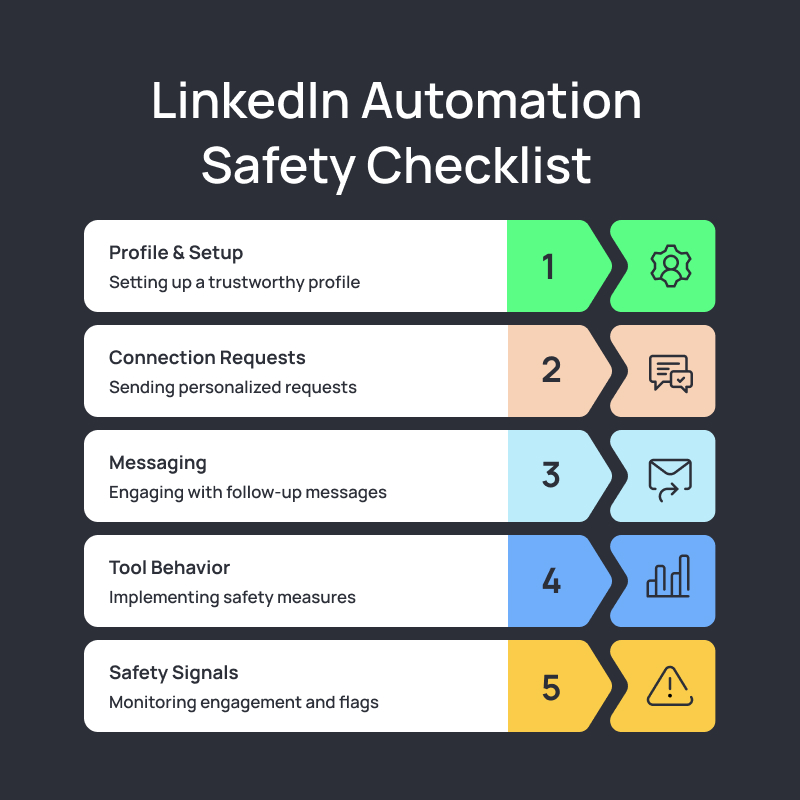
Safe LinkedIn automation checklist
- Profile: complete the basics before outbound activity so prospects can verify who you are and why the conversation may be relevant.
- Targeting: use a narrow ICP and remove contacts who are already customers, active opportunities, opted out, or clearly outside the use case.
- Messaging: keep the opener brief, specific, and easy to answer. Avoid pitch-heavy connection notes and copied compliments.
- Controls: use schedules, pacing, reply detection, deduplication, and team visibility to prevent accidental over-contact.
- Data: document the lawful basis and retention logic that applies to your market. Get legal advice for your specific processing and outreach model when needed.
- Reporting: track acceptance, replies, qualified conversations, opt-outs, and pipeline, not just activity counts.
Scale carefully, not blindly
The goal is not to make automation invisible. It is to make outreach more disciplined. Strong targeting, short messages, human review, coordinated CRM data, and clear stop conditions protect the prospect experience while reducing avoidable account and brand risk.
If you are evaluating LinkedIn automation tools for lead generation as part of a broader LinkedIn lead generation process, start by mapping the workflow you already want your team to follow. Then compare Salesflow features against those requirements and test with a small, reviewable campaign before scaling.
.svg)
.png)

.png)
