A multichannel outreach strategy coordinates LinkedIn, email, phone and other relevant touchpoints around one sales conversation. Instead of sending unrelated messages through several channels, your team follows a planned sequence and changes the next step according to each prospect's behaviour.
That distinction matters.
Sending the same pitch through LinkedIn and email is repetition. Coordinating those channels so that each message adds useful context is multichannel outreach.
This guide explains how to choose your channels, build a practical sequence, personalize messages, automate follow-ups and measure the results that affect pipeline.
Having the ability to connect with prospects across various platforms, tailored to their preferences and behaviors, that’s the power of multichannel outreach. And it’s within your reach. This article will equip you, with the knowledge and tools to launch a powerful multichannel outreach campaign without the worries of managing each platform independently and finally break free from the limitations of a single channel.
What is a multichannel outreach strategy?
A multichannel outreach strategy is a structured plan for contacting prospects through two or more channels. Each touchpoint shares context with the previous message, follows a defined sequence and changes when a prospect connects, opens an email, replies or books a meeting.
The goal is to increase visibility without surrounding prospects with duplicate messages.
For example, a sales representative might view a prospect's LinkedIn profile, send a connection request, follow up by email and schedule a call task after the prospect engages. Every action supports the same conversation.
Using more channels does not automatically improve a campaign. Coordination is what makes the approach useful.
Why single-channel outreach often stalls
A prospect may miss an email because it lands during a busy morning. A LinkedIn connection request may remain unnoticed for several days. A cold call may arrive before the prospect recognizes your company.
Single-channel campaigns depend too heavily on one inbox, one algorithm or one moment of attention.
A planned multichannel sales outreach sequence creates several relevant opportunities to respond. LinkedIn can introduce the person and company. Email can explain the business case. A phone call can move an active conversation forward.
Each channel has a different job. That reduces repetition and gives prospects more control over how they respond.
How to build a multichannel outreach strategy in 7 steps
1. Define the audience and buying signal
Begin with a narrow ideal customer profile. Specify the prospect's role, company type, team size, location and likely business problem.
Then add a reason for contacting the person now.
Useful buying signals may include:
- A recent funding announcement
- Hiring for a sales or business development role
- Expansion into a new market
- A change in sales leadership
- Adoption of a related technology
- Public discussion of a problem your service addresses
A clear signal gives the sequence a timely reason to exist. Without one, personalization often becomes a collection of generic compliments.
2. Set one campaign goal
Every sequence needs one primary conversion.
That goal may be a reply, a discovery call, a product demonstration or a referral to the correct decision-maker. Choose one before writing the messages.
Avoid asking a prospect to download a guide, watch a video, book a meeting and review pricing in the same sequence. Too many options make the next step unclear.
A focused campaign also makes reporting easier. You can judge the sequence against the outcome it was created to produce.
3. Give each channel a clear role
Do not use every available channel simply because your software supports it. Select channels based on the audience and the type of conversation.
A practical division of responsibilities might look like this:
Most B2B campaigns do not need five channels. LinkedIn and email are often enough to begin. Phone tasks can be added for high-value accounts or prospects who show intent.
4. Write one connected message thread
Plan the full conversation before creating individual messages.
Each touchpoint should answer one of these questions:
- Why are you contacting this person?
- What problem do you understand?
- What useful idea or proof can you add?
- What is the simplest reasonable next step?
Suppose the first LinkedIn message mentions a new sales hiring push. The email should build on that context, perhaps by explaining how a similar team reduced manual prospecting work. It should not restart the conversation with a generic company introduction.
Repetition feels automated. Progression feels relevant.
5. Build the sequence around prospect behaviour
Fixed schedules are easy to build, but they treat every prospect the same.
A stronger multichannel outreach strategy uses conditions. The next action changes according to what the prospect has already done.
Examples include:
- If the prospect accepts the LinkedIn request, send a LinkedIn follow-up.
- If the prospect does not connect but an email address is available, begin the email path.
- If the prospect opens an email but does not reply, send a shorter follow-up focused on one issue.
- If the prospect replies on any channel, stop all pending messages.
- If the prospect books a meeting, remove the person from the active sequence.
- If no engagement occurs after the final touch, close the sequence rather than extending it indefinitely.
Behaviour-based routing makes the campaign feel less mechanical and prevents conflicting messages.
6. Automate coordination, not sales judgment
Automation is useful for scheduling, routing, reminders, data updates and stopping follow-ups after a reply.
It should not replace the decisions that require account knowledge.
Sales representatives still need to decide:
- Which accounts deserve deeper research
- Which buying signal is relevant
- Whether a reply is positive, neutral or negative
- When a phone call is appropriate
- When an opportunity should move into the CRM pipeline
- When a prospect should be left alone
The best outbound sales automation software reduces administrative work while keeping people responsible for targeting, message quality and qualification.
7. Review results and revise one variable at a time
Do not judge a sequence only by the number of emails opened or LinkedIn requests accepted.
Those figures show activity. They do not prove that the campaign is creating qualified conversations.
Review the complete path from first touch to meeting. Then change one major variable at a time, such as the audience, opening message, call to action, channel order or delay between touches.
Changing everything at once makes it difficult to understand why performance moved.
A 14-day multichannel outreach sequence example
The following sequence is a starting framework rather than a universal schedule. Adjust the timing to your audience, deal value and sales cycle.
The branching rules matter more than the dates.
A connected prospect should not receive a message written for someone who ignored the connection request. A person who has replied should not receive another automated follow-up two hours later.
How to use each outreach channel
LinkedIn builds recognition and context
LinkedIn works well at the beginning of a B2B sequence because prospects can review the representative's role, company and professional background.
Keep connection requests brief. Mention a relevant reason for connecting, but do not compress the entire sales pitch into the invitation.
After the prospect connects, continue from the context already established. A personalized LinkedIn outreach tool can insert approved variables and schedule follow-ups, but the message still needs a specific reason to contact that account.
Email explains the business case
Email gives you more room to explain the problem, provide proof and suggest a next step.
Keep the first email focused on one issue. Long company descriptions and multiple benefit lists usually bury the point.
A useful cold email normally contains:
- A relevant observation
- The likely business impact
- A clear connection to your offer
- One low-friction question
Follow-up emails should add information. Do not resend the first email with a different opening sentence.
Phone calls accelerate active opportunities
Phone outreach is most useful when account value justifies the effort or when the prospect has shown clear interest.
Use email opens carefully. An open alone does not prove buying intent, and privacy protections can make open data unreliable. Stronger signals include repeated activity, a reply, a LinkedIn interaction, a website visit tied to the account or a direct referral.
The call should refer to the earlier contact so it feels like part of the same conversation.
Video and SMS need a clear reason
A short video can help when the representative needs to demonstrate something specific about the prospect's account. Generic video introductions usually add effort without adding substance.
SMS requires more caution. Use it where consent, the relationship and local communication rules make the channel appropriate. It should not be treated as another cold-message inbox.
How to personalize outreach without slowing the team
Personalization does not require a unique essay for every prospect.
Start with three levels:
Segment-level personalization
Adapt the message to a defined industry, role or company type. This is suitable for larger prospect groups that share a common problem.
Signal-level personalization
Reference a current business event, such as hiring, funding, expansion or a leadership change. This creates a stronger reason for contact.
Account-level personalization
Use deeper research for strategic accounts. Mention a specific process, market move, product line or public priority that connects directly to your offer.
The message should still make sense if the prospect checks the source. Avoid invented familiarity, shallow praise and irrelevant references to personal posts.
Good personalization answers “Why me?” and “Why now?” in a few lines.
Metrics that show whether the strategy is working
A useful reporting model separates channel activity from commercial outcomes.
Connection acceptance rate
Accepted LinkedIn requests ÷ Sent connection requests × 100
This can reveal whether the profile, audience and connection message are credible.
Reply rate
Prospects who replied ÷ Prospects contacted × 100
Count replies across all channels rather than reviewing each inbox in isolation.
Positive reply rate
Positive replies ÷ Prospects contacted × 100
This is more useful than total replies because negative responses and unsubscribe requests do not create pipeline.
Meeting-booked rate
Meetings booked ÷ Prospects contacted × 100
Use this as a primary outcome when the sequence is designed to create sales conversations.
Time to first reply
Measure the time between the first touch and the first response. This helps identify sequence delays and channels that accelerate engagement.
Channel-assisted conversion
Record every touch that occurred before a meeting, not only the final click or reply.
A prospect may notice the company on LinkedIn, read an email and respond after a phone call. Giving all credit to the call hides the contribution of the earlier channels.
Common multichannel outreach mistakes
Repeating the same message everywhere
Copying an email into LinkedIn does not create a coordinated experience. Give each channel a distinct purpose.
Contacting prospects too frequently
More touches can quickly become more irritation. Leave enough time for the prospect to read and respond.
Ignoring replies from another channel
All active paths should stop when a prospect responds. Otherwise, automation exposes the lack of coordination.
Optimizing for opens instead of conversations
Open and acceptance rates are diagnostic metrics. Positive replies, qualified meetings and opportunities are closer to business value.
Using weak data
Incorrect job titles, outdated company records and invalid email addresses damage the campaign before the first message is sent.
Failing to update the CRM
Campaign data should support the sales process. Without CRM integration, representatives may repeat outreach or lose the context behind an opportunity.
Automating before validating the message
Test the audience and positioning on a smaller group first. Automation increases the volume of whatever you give it, including weak targeting and unclear copy.
When to use a multichannel outreach platform
Manual coordination becomes difficult when several representatives manage LinkedIn activity, email steps, phone tasks and CRM records at the same time.
A multichannel outreach platform should help your team:
- Build LinkedIn and email steps in one sequence
- Route prospects according to connection or engagement status
- Stop messages when someone replies
- Set working hours and daily activity limits
- Manage templates without removing account-level edits
- Track results across the complete sequence
- Send engagement data to the CRM
- Prevent duplicate or conflicting outreach
Compare LinkedIn outreach automation tools by their control systems, not only by how many messages they can send. The platform should reduce accidental duplication and give representatives a clear view of each active conversation.
How Salesflow supports multichannel outreach
Salesflow's Dynamic Outreach combines LinkedIn and email steps in one adaptive flow. Teams can create branches based on connection status, Open Profile eligibility, email availability and email engagement.
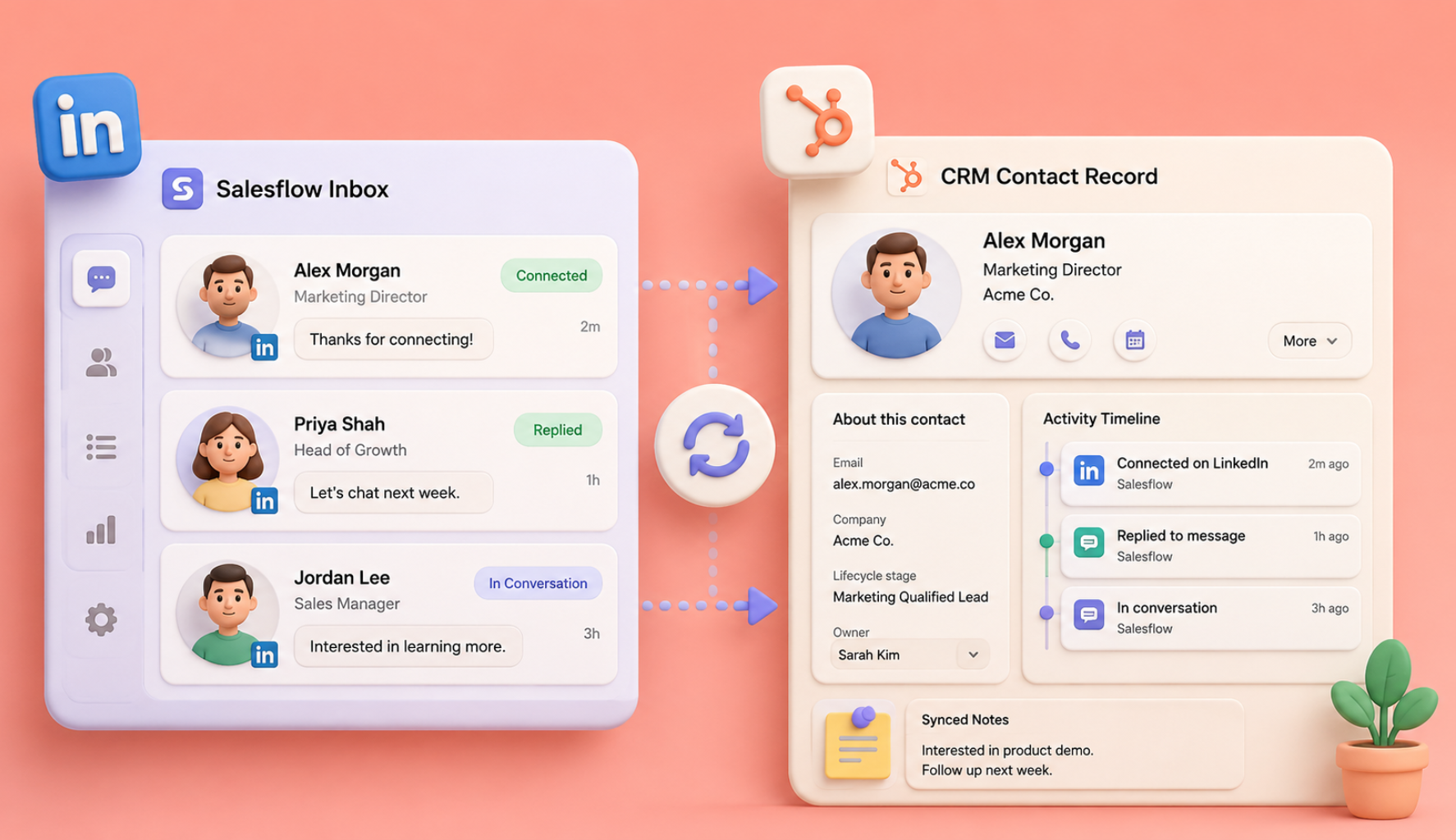
Monitor windows can move a prospect into the appropriate path when a condition is met. Replies mute the contact so pending follow-ups do not continue. Salesflow also provides campaign analytics, message templates, a centralized inbox and CRM connections, including bidirectional HubSpot synchronization.
This setup allows sales teams and agencies to manage the sequence from one multichannel outreach platform instead of checking separate campaigns and spreadsheets.
Build a sequence prospects can follow
A good multichannel outreach strategy feels like one clear conversation.
Define the audience. Give every channel a job. Build branches around prospect behaviour. Stop when someone responds. Measure qualified conversations instead of raw activity.
Salesflow helps teams coordinate LinkedIn and email outreach through adaptive campaign paths, reply-based stopping rules and shared reporting.
Start your first Salesflow campaign or book a demonstration to see how a connected sequence would work for your sales process.
Frequently asked questions
What is multichannel outreach?
Multichannel outreach is a sales approach that contacts prospects through two or more coordinated channels, such as LinkedIn, email and phone. Each touchpoint supports the same conversation and adds context rather than repeating an identical pitch.
How many channels should a B2B sales sequence use?
Most teams should begin with two or three channels. LinkedIn and email provide a practical foundation, while phone tasks can support high-value or engaged accounts. Adding more channels only helps when each one has a defined role and suits the audience.
Which channels work best for multichannel prospecting?
The best mix depends on the audience. LinkedIn supports research, recognition and professional messaging. Email is better for detailed value propositions and proof. Phone outreach can speed up conversations with high-priority accounts. SMS and video should be used only where the context supports them.
How long should a multichannel outreach sequence run?
Many B2B sequences run for roughly two to four weeks, but timing should reflect the audience and sales cycle. Space touches far enough apart for prospects to respond, and stop the sequence immediately when someone replies, opts out or books a meeting.
What is the difference between multichannel and omnichannel outreach?
Multichannel outreach uses several channels within a sales campaign. Omnichannel outreach places greater emphasis on maintaining a continuous experience and shared context across every channel. In outbound sales, the terms sometimes overlap, but coordination remains the main requirement.
Can multichannel outreach be automated?
Yes. Teams can automate scheduling, conditional routing, follow-up timing, reply detection and CRM updates. Target selection, account research, message judgment and reply handling still need human oversight. Automation should coordinate the work rather than replace sales decisions.
.svg)


.png)