AI can speed up sales outreach, but a prompt cannot fix weak targeting or invented personalisation. The most useful workflow is to give the model verified account context, a clear audience, a specific reason for outreach and a constrained output, then have a person review the message before it reaches a prospect.
This 2026 guide gives you practical prompts for ICP research, LinkedIn messages, email, InMail, follow-ups, objection handling and multichannel sequences.
The rule across every example is straightforward: provide the source facts, tell the model what it must not invent, ask for a concise draft and edit the result for accuracy, tone and relevance.
If a linkedin message automation tool is part of your workflow, use it to coordinate approved messages and follow-up logic rather than expecting automation to replace research and judgment.
What's AI in Outreach?
AI in sales outreach is most useful for research synthesis, draft creation, message variation, follow-up preparation, call notes and workflow support.

It can turn verified information into a usable first draft faster. What it cannot automatically know is whether an inferred pain point is real, whether an old company announcement is still relevant or whether a prospect detail generated by the model is accurate.
That is why the input matters. Give the system:
- A defined audience
- Verified source information
- The reason for contacting the prospect
- The problem your offer actually addresses
- A clear tone
- A length constraint
- A specific CTA
- Instructions about what not to invent

Better outreach comes from better evidence and judgment, not simply generating more copy.
What Are AI Prompts and Why Do They Matter?
A prompt is the instruction and context you give an AI system before asking it to produce an output.

A vague prompt such as "write a LinkedIn message" forces the model to fill in missing decisions. That usually produces generic copy.
A stronger prompt gives the model the relevant context it needs, not every detail available. State the task, audience, verified facts, desired output, tone and constraints. Irrelevant context can distract the model, while missing evidence can encourage vague or invented copy.
Choosing the Right AI for Multi-Channel Sales Outreach
Different AI tools are useful for different parts of the workflow. The model name matters less than whether the product can access the information required for the job and whether you can verify what it produces.

AI-Powered Personalised LinkedIn and Email Outreach
Real personalisation is not inserting {first_name} and {company_name} into the same template. Those fields identify the recipient. They do not explain why the message matters.
Useful personalisation comes from relevant business context: a role change, hiring activity, company launch, funding event, public initiative, technology change or a topic the prospect has genuinely discussed.
Start With a Solid Foundation
Use this formula:
[Persona] + [Verified trigger/source] + [Relevant problem] + [Value] + [Tone] + [Constraint] + [CTA]
Master prompt:

Write a concise outreach message to a [job title] at [company]. Use only these verified facts: [paste source facts]. The relevant trigger is [trigger]. Connect it to [problem] and [value]. Tone: [tone]. Keep it under [length]. Do not invent metrics, technologies, projects, pain points or personal details. If the supplied evidence does not support a personalised opening, tell me instead of guessing. End with [CTA].
Use Personalisation Triggers That Actually Matter
- A verified job change
- A funding announcement
- A new product launch
- Hiring activity
- A public expansion
- A prospect's recent relevant post
- A technology change you can verify
- A market or regulatory development relevant to the account
A trigger should connect logically to your offer. A random recent event is not automatically a good opening line.
Avoid Robotic Personalisation
Do not tell the model simply to "sound professional". Define what you mean.
Do not stuff the message with corporate phrases such as "I wanted to reach out", "synergy", "revolutionise", "unlock the power of" or "in today's fast-paced landscape" unless that is genuinely how your team speaks.
Do not ask the AI to manufacture familiarity.
Do not use private or irrelevant personal information simply because you found it online.
Do not pretend the sender personally researched something they did not actually review.
Use AI to Define and Refine Your ICP
AI becomes more useful for targeting when you give it real customer evidence rather than asking it to guess who might buy.
Find Patterns Across Existing Customers
Here are anonymised characteristics of our strongest customers: [data]. Identify repeated patterns across company type, size, roles, use cases, buying triggers and reasons for purchasing. Separate observed patterns from assumptions.
Explore a New Vertical
We are evaluating [industry] as a potential market. Our product solves [problem]. Identify roles likely to own this problem, typical operational context and questions we should validate before targeting this vertical. Do not assume buying intent.
Build Separate ICPs
Create separate ICP hypotheses for these audiences: [audience 1], [audience 2], [audience 3]. For each, show likely business problem, relevant trigger, decision roles and evidence we should verify before adding an account to outreach.
Map Roles to Problems
We sell [solution]. Explain how [role A], [role B] and [role C] may evaluate this problem differently. Separate likely responsibilities from unverified assumptions about individual prospects.
Use AI to Map the Buying Committee
When a purchase can involve several people, use AI to organise roles before writing messages.
We sell [product/service] to [company type]. The typical contract involves [scope]. Map the likely buying committee. For each role, explain their responsibility, likely evaluation criteria and which claims should be verified before outreach.
Then create role-specific messaging:
Using the buying-committee map above, create one message angle for each role. Do not reuse the same pain point. Keep each angle tied to what the role would reasonably control or evaluate.
Connect AI Research With Outreach Execution
Once the ICP, prospect information and message are reviewed, move the approved contacts into your execution workflow.
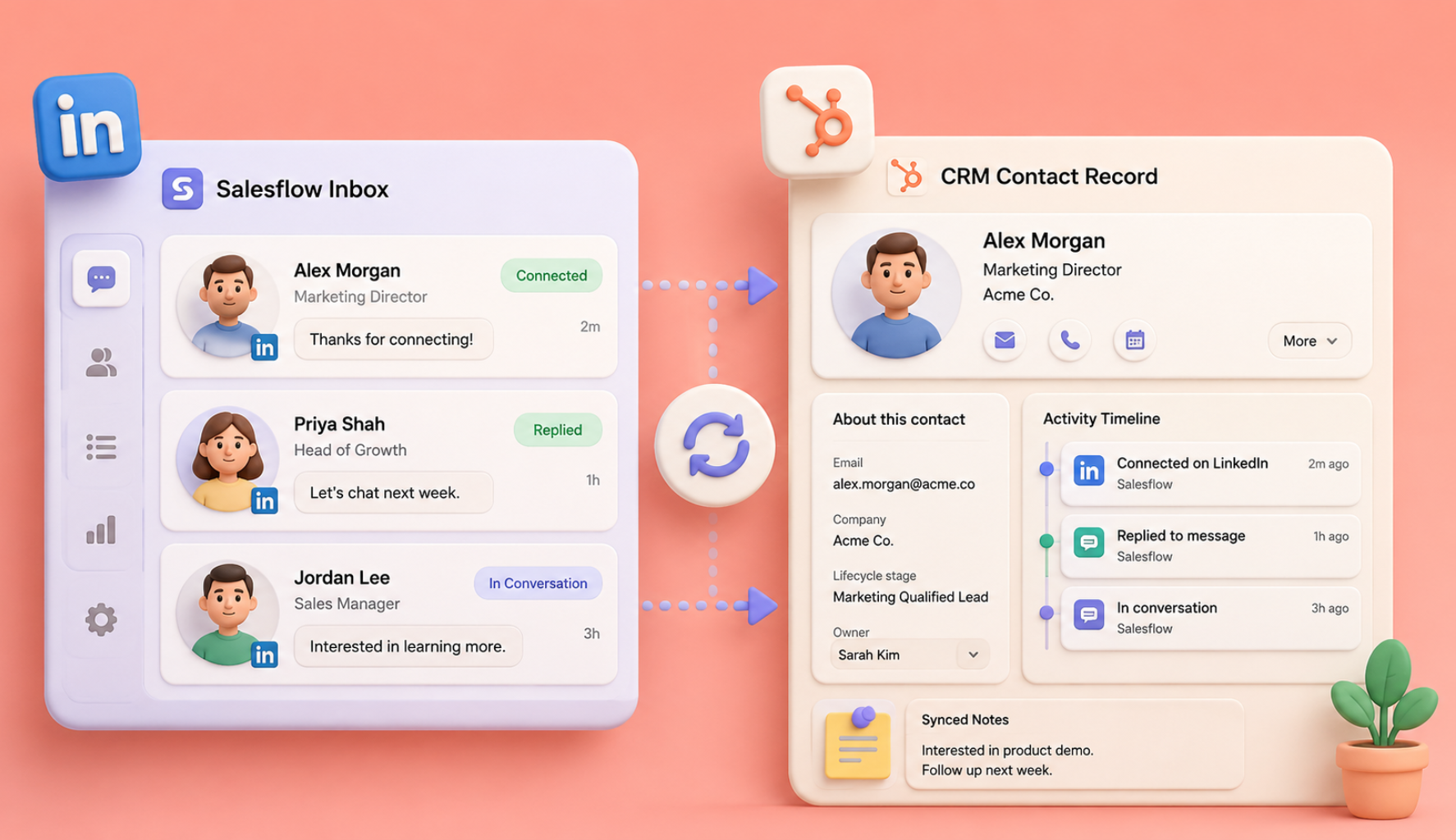
Salesflow Dynamic Outreach can be used to organise LinkedIn and email campaign steps, monitor replies and adjust sequences without asking reps to rebuild every follow-up manually.
The hand-off should be clear: AI helps research or draft, a person verifies the important information, and the outreach system handles repeatable campaign execution.
High-Performing AI Prompts for LinkedIn and Email Outreach
LinkedIn Connection Request Prompts
Founder-to-Founder

Write a short LinkedIn connection request from a founder to another founder in [industry]. Use this verified shared context: [context]. Do not pitch. Give them one natural reason to connect and keep it under [character limit].
Based on Company Growth

Write a LinkedIn connection note to a [job title] at [company]. Verified trigger: [growth/hiring/launch]. Mention the trigger naturally without assuming it has created a specific pain point. Keep the note conversational and do not pitch.
Based on a Relevant Post

Write a connection request to [role] who posted about [topic]. Here is the exact post/source: [text or source]. Reference only what is actually stated. Add one relevant thought and suggest connecting.
Based on a Mutual Professional Context

Write a short connection note to [role]. We both [attended event / work in field / know professional contact]. Use that shared professional context naturally. No product pitch.
InMail Prompts
InMail After a Job Change
Write a concise InMail to [name], who recently became [verified job title] at [company]. Congratulate them briefly. Mention one business issue commonly worth reviewing in that role, but do not claim they personally have it. Offer to share a useful example if relevant. Include a short subject line.
InMail After a Hiring Signal
Write an InMail to [role] at [company]. Verified signal: the company is hiring [roles]. Explain one operational question that teams often consider during this type of growth. Introduce our relevance in one sentence and finish with a soft CTA.
Industry-Specific InMail
Write an InMail for a [role] in [industry]. Use this verified industry development: [source fact]. Explain why it may be worth reviewing [problem]. Keep the message insight-led and under [length].
InMail Follow-Up
Write a short InMail to a prospect who did not respond to my earlier LinkedIn message. Here is the original: [message]. Do not repeat the whole pitch. Add one useful point and give them an easy way to decline.
First-Touch LinkedIn Message Prompts
After a Connection Is Accepted
Write a first LinkedIn message to [role] after they accepted my connection request. Use this verified context: [context]. Ask one relevant question rather than immediately asking for a meeting.
Role-Specific Pain
Write a LinkedIn DM to [role] in [industry]. We help with [problem]. Describe the problem without claiming this prospect personally has it. Ask whether it is something their team is currently reviewing.
Following Content Engagement
Write a message to [name], who interacted with this public discussion: [source]. Mention the topic accurately, add one useful observation and ask a natural follow-up question. Do not turn the interaction into a fake endorsement of our product.
Nurture Prompts
After "Not Right Now"
Write a light LinkedIn follow-up to someone who previously said the timing was not right. Mention the earlier conversation briefly and ask whether anything has changed. No meeting request unless they signal renewed interest.
Share a Useful Resource
Write a short message sharing [resource] with a [role]. Explain in one sentence why it may be relevant to [known problem or topic]. No CTA.
Industry Update
Write a follow-up referencing this verified industry update: [source]. Explain why it connects to our previous conversation without overstating the impact. End with one simple question.
Reconnect After a Longer Gap
Write a friendly message to someone I last spoke to [time period] ago. Here are the notes from that conversation: [notes]. Reference only the agreed context and ask whether the topic is still relevant.
Breakup or Final Follow-Up Prompts
Respectful Close
Write a final LinkedIn message to a prospect who has not replied. Keep it under 60 words. Say I will close the loop for now and leave the door open if the topic becomes relevant later.
Final Value-Add
Write one final message that shares this genuinely useful resource: [resource]. Do not ask for a meeting. Say I am closing the thread after this note.
Permission to Reconnect
Write a short final message asking whether it would be more useful to reconnect in [time period] or close the conversation completely. Keep the wording easy to answer.
Cold Email Prompts
First-Touch Email
Write a cold email to a [role] at [company type]. Verified trigger: [trigger]. Explain why [problem] may be worth reviewing after this trigger without claiming the prospect definitely has the problem. Introduce [solution/value] in one sentence. Keep it under 100 words and finish with one simple question.
Proof-Led Email
Write a cold email to [role]. Use this verified customer example: [case study facts]. Do not invent or exaggerate the result. Connect the example to [prospect context] and ask if the problem is relevant to their team.
Insight-Led Email
Write an email around this industry insight: [verified source]. Explain the implication for [role] in two sentences. Connect our offer only if the link is logical. Avoid urgency language unless the source supports it.
Referral Email
Write a short email to someone who may not own [problem]. Explain why I contacted them and ask whether another role or team is more appropriate. Keep it easy to redirect.
Follow-Up Email Prompts
Add New Context
Write a follow-up to this original email: [email]. Add this new verified information: [context]. Do not repeat the original message. Keep the follow-up under 70 words.
Check Relevance
Write a brief follow-up asking whether [problem] is something the team is currently reviewing or whether I should close the loop. No "just checking in" wording.
Ask for Direction
Write a follow-up asking whether [recipient] is the right person for [topic]. If not, make it easy for them to suggest the correct team without pressuring them to make an introduction.
Final Email
Write a respectful final email to [role]. Briefly restate the reason I contacted them, say I will close the thread and leave the door open for a future conversation.
Multi-Step Sequence Prompts
LinkedIn-Only Sequence
Create a three-touch LinkedIn sequence for [role] at [company type]. Verified trigger: [trigger]. Touch 1 should be a connection note with no pitch. Touch 2 should ask one relevant question. Touch 3 should share one useful idea or resource. Do not repeat wording between touches.
Email-Only Sequence
Create a three-email sequence for [role]. Email 1 introduces the problem using verified context. Email 2 adds a proof point or useful resource. Email 3 closes the loop. Keep every email below 100 words and do not use "just following up".
LinkedIn + Email Sequence
Create a five-step LinkedIn and email sequence for [role] at [company]. Use only this verified context: [facts]. Coordinate the channels so each step adds new information. Stop logic should apply when the prospect replies or opts out.
Objection-Handling Prompts
"Not Interested"
Write a short response acknowledging that the prospect is not interested. Do not challenge the objection. Leave the conversation professionally and ask permission only if there is a legitimate reason to reconnect later.
"No Budget"
Write a respectful response to a prospect who said budget is not available. Acknowledge it, do not manufacture urgency, and offer a useful resource if appropriate.
"Already Using a Competitor"
Write a response to someone already using [competitor]. Do not criticise the competitor. Ask one question about what matters most in their current setup, or offer a factual comparison if they want one.
"Send Me Something"
Write a short follow-up containing [approved resource]. Summarise what the prospect will find in it and give them space to review it without forcing a meeting.
"We're Too Small"
Write a response acknowledging their current stage. Do not argue. Offer a relevant small-team use case only if one exists and is verified.
"We Just Chose Another Vendor"
Thank them for the update. Wish them well with implementation and leave the door open for a future conversation. No attempt to reverse the decision in the same message.
"Is This Automated?"
Write a transparent response explaining which part of the workflow was assisted by automation and which part was reviewed by a person. Do not pretend the message was fully manual if it was not.
"I'm Not the Right Person"
Thank them and ask whether there is a more appropriate role or team. Keep the request low effort and make clear that there is no obligation to provide an introduction.
Real Multi-Channel Sequence Example
SaaS Founder to VP of Sales
Verified trigger: The company is expanding its SDR team.
Connection request
Saw the sales team is growing. I've spent a lot of time around the outbound systems teams need as headcount increases, so I thought it would be useful to connect.
LinkedIn follow-up

Thanks for connecting. Curious whether keeping LinkedIn and email activity consistent across the growing team is something you're reviewing this year, or if the current process is already working well.
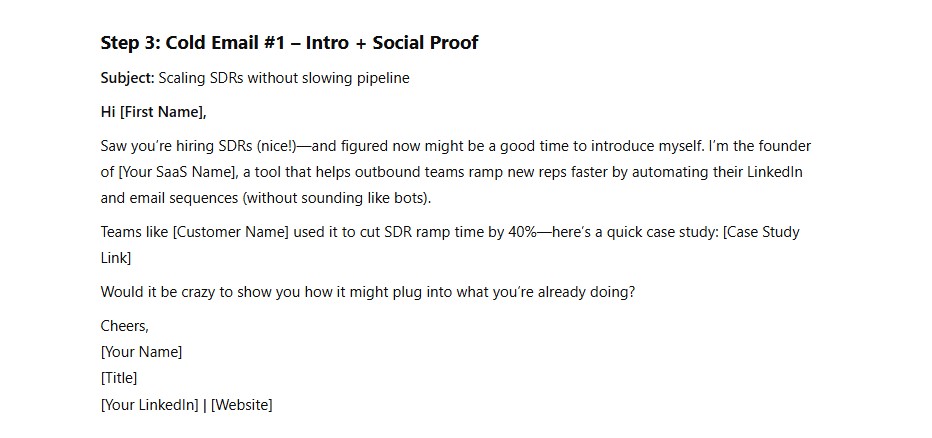
Subject: Scaling outbound with the team
Hi [Name],
Noticed the SDR team is expanding. As teams add reps, one issue that often comes up is keeping prospecting, follow-up and replies organised across channels.
Salesflow helps teams coordinate LinkedIn and email workflows while keeping active conversations visible.
Is that something you're reviewing as the team grows?
[Name]
Follow-up

One extra thought, the workflow matters more than adding more touches. If useful, I can send a short example of how teams structure LinkedIn + email paths around prospect responses.
Close

I'll close the loop here. If outbound workflow becomes more relevant as the team expands, happy to compare notes later.
Advanced Prompting Tips
1. Test Tone Without Changing the Facts
Rewrite this message in two styles: concise and conversational. Keep every factual statement unchanged.
2. Feed AI Winning Messages
Analyse these successful messages for structure, sentence length, CTA style and tone. Create a reusable style guide. Do not reuse customer-specific facts in new messages.
3. A/B Test One Variable
Create two versions of this message. Keep audience, evidence, offer and CTA unchanged. Change only the opening angle.
4. Ask AI to Critique the Draft
Review this message for unsupported claims, unnecessary filler, vague personalisation, excessive sales language and unclear CTA. Explain the problems before rewriting it.
5. Build Your Own Prompt Formula
[Persona] + [Verified trigger/source] + [Relevant problem] + [Value] + [Tone] + [Constraint] + [CTA]
6. Update Prompts When the Evidence Changes
Refresh this outreach sequence for [quarter/year]. Use only the following new evidence: [source or customer insight]. Keep positioning that is still supported, remove stale references and show what changed before producing the final copy.

Final Thoughts: Smart Outreach Needs Better Inputs
AI is useful when it shortens the distance between verified research and a clear first draft. It becomes less useful when it adds filler, repeats generic sales phrases or invents context to make a message look personalised.
Keep the evidence visible. Review important messages. Judge output by the quality of the conversations it creates rather than how quickly the copy was generated.
Use these prompts as working templates, not finished messages. Add your real ICP language, customer evidence, offer and objection patterns. Test variations against positive replies and qualified opportunities.
Once the copy is approved, a personalized LinkedIn outreach tool can handle repetitive sequencing, follow-up and reply-based stopping. Salesflow Dynamic Outreach coordinates LinkedIn and email paths so the team can spend more time on live conversations and less time rebuilding campaign logic.
Start your free trial (no credit card required) and experience just how powerful automated sales outreach can be.
Glossary
Prompt
The instruction and relevant context given to an AI system to produce an output.
Prompt Engineering
The process of designing, testing and refining instructions so an AI system produces more useful and predictable results.
ICP
Ideal Customer Profile. A definition of the accounts most likely to be relevant to your product or service.
Trigger
A verified event or change that creates a credible reason for timely outreach.
Outbound
Proactive outreach to potential buyers rather than waiting for them to discover the business through inbound channels.
Multichannel Outreach
A coordinated approach that uses more than one communication channel, such as LinkedIn and email.
Salesflow
A LinkedIn and email outreach platform for building prospect sequences, coordinating follow-ups, managing replies, reviewing campaign performance and connecting outreach activity with the wider sales workflow.
.svg)


.png)