.png)
Small businesses do not buy outreach software the way enterprise teams do. A founder or three-person sales team cares about how fast a campaign can go live, what the full monthly cost is, how replies are handled, and what happens to that cost after the next few hires.
That is why the best LinkedIn automation tool for small business teams is not simply the product with the longest feature list. It is the one that fits your sales process, budget, team size, and risk tolerance. This guide compares the five main types of LinkedIn automation software, shows how to score them, explains pricing models, and uses Salesflow as a worked pricing and feature example.
If you want a named vendor shortlist as well, use our Top 10 LinkedIn automation software and multichannel outreach tools guide. This page stays focused on the buying decision for smaller teams.
Why small businesses evaluate LinkedIn automation differently
Enterprise buyers can spread software cost across large teams and dedicated operations staff. A small business feels the cost immediately. The tool needs to earn its place quickly without creating a second project just to configure it.
Start with cash flow, not a headline discount. Paying a year in advance can make sense after the channel has proved itself, but it is a bigger decision when runway is measured closely. A monthly entry option and a trial let a team test the process before taking a longer commitment.
Setup time matters for the same reason. If a five-person company needs a consultant, custom field-mapping project, and a few weeks of training before the first campaign, the real onboarding cost can be more than the subscription. A good small-business tool should allow a competent user to generate a list, develop a sequence, link the necessary systems, and understand the reply flow without specialized assistance.
Account continuity is also more important. If the founder’s LinkedIn profile is a large source of the pipeline, a limitation may influence more than one campaign. This means clarity of policy, manual checks, stop rules, and unambiguous activity controls at the point of purchase. No control removes the core issue of platform policy.
Finally, buy for the team you expect to have, not only the seat count you have today. Some affordable LinkedIn automation software becomes expensive when every new hire adds the same full-price seat or forces the company into a larger contract. Compare the cost at one, five, ten, and twenty users before signing.
7 criteria for comparing LinkedIn automation tools for small business
Use a simple scorecard during the trial. Give each tool a score from one to five, apply more weight to the criteria that affect your team most, and compare the total. This makes it harder for a polished demo to hide weak pricing or workflow fit.
The third row is easy to skip. Sticker price does not tell you whether a tool is cheap. If one platform costs $50 per seat and produces two meetings while another costs $100 and produces ten, the second platform is cheaper per outcome. Use the Salesflow ROI calculator to model cost against the result you care about.
The five main types of LinkedIn automation software
Most products fall into one of five patterns. Pick the pattern that matches your sales motion first. Then compare products inside that category.
Why a multichannel outreach platform often fits SMBs
LinkedIn is useful for identity, context, and direct conversations, but it is still one channel. LinkedIn also limits invitations and can restrict accounts when it sees excessive invitation activity or prohibited automation. It does not publish one universal weekly number that every account can treat as a safe ceiling.
That is why small teams often pair LinkedIn with email. Email gives the campaign another legitimate path to a prospect instead of forcing every follow-up through one platform. Read LinkedIn's curren invitation restriction guidance directly rather than relying on a vendor or blog to define a safe volume.
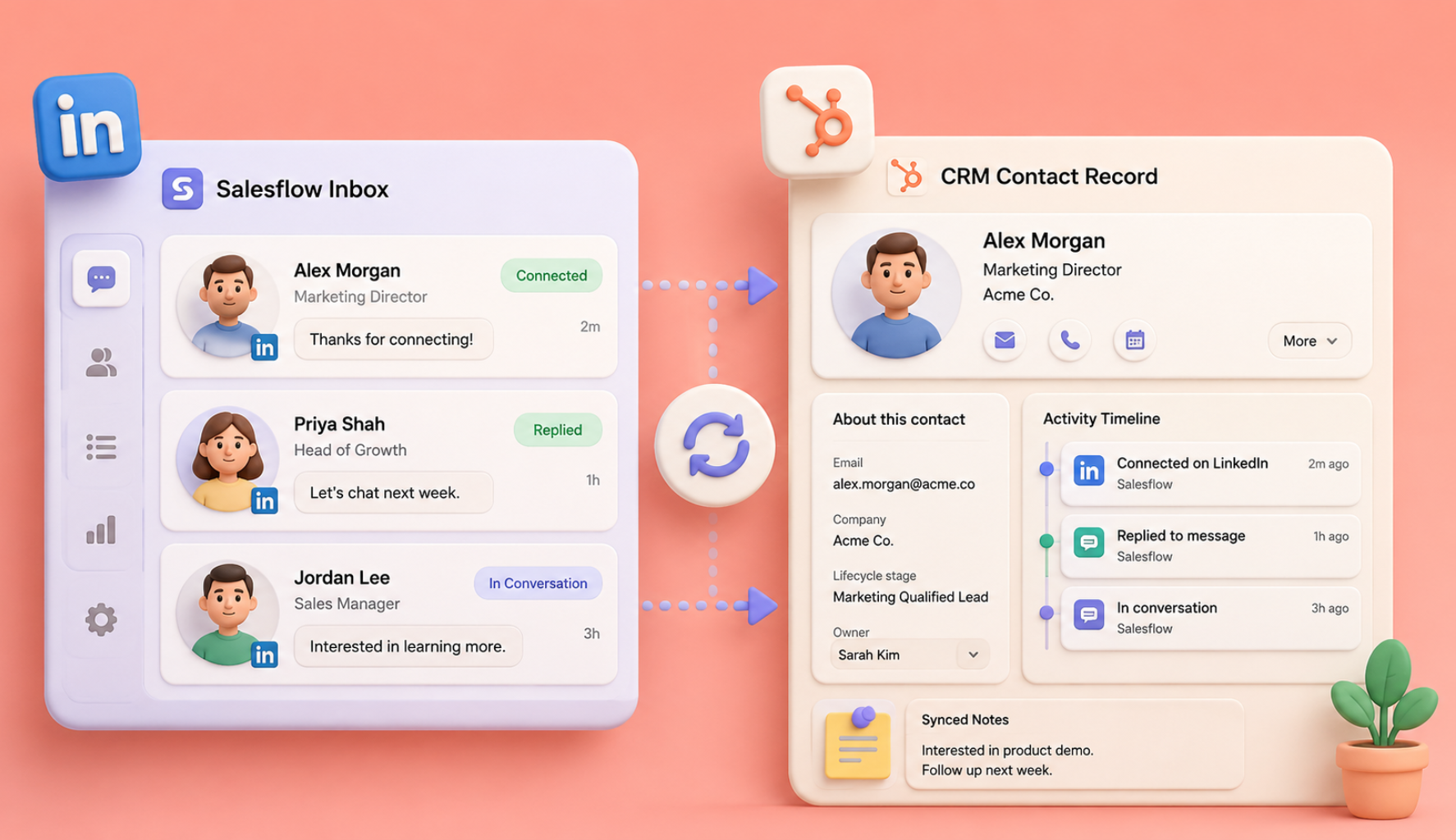
The practical benefit of multichannel is coordination. When LinkedIn and email sit in one workflow, reply detection can stop later steps, the team can see the contact history in one place, and campaign reporting does not depend on reconciling two separate tools. Salesflow's email outreach page shows how its email steps fit beside social outreach.
This is also where a LinkedIn sales prospecting tool can expand into a bigger outbound system. It’s not to drive more exercise for the sake of activity. It’s to use the correct channel for the contact, stop when the person replies, and keep the record clear enough for the next rep to know what transpired.
LinkedIn automation tool pricing: compare total cost, not the sticker price
Pricing matters twice for a small business: once when the first seat is purchased and again when the team grows. Flat per-seat pricing is easy to understand, but it can make every new hire add the same full software cost. Volume pricing can reduce the effective seat cost, but only if the thresholds and commitments fit the hiring plan.
Start with cost per outcome
Build a basic monthly model. Platform cost + Sales Navigator + email infrastructure + any data/enrichment costs/qualifying meetings scheduled. This offers you a number to compare to average deal value and closing rate. It also exposes tools that look cheap, because the big expenditures are outside the subscription.
Salesflow pricing as a worked example
Salesflow's current pricing page says the per-seat price falls at larger team sizes. As of August 12, 2026, the published monthly starting points are:
*Agency and Enterprise require an annual commitment and are billed monthly. The live pricing page should be checked again immediately before publication or purchase.
The page also shows 15% off for a six-month term and 30% off for a twelve-month term. That structure lets a small team start with a shorter commitment, test the sales motion, and then decide whether the longer term makes financial sense.
What that looks like as a team grows
The important number is the effective cost per seat, not only the total bill. A team can model hiring more accurately when the thresholds are public. Salesflow also lists seat additions one at a time on Basic, Starter, and Pro, then batches of five on Agency and ten on Enterprise.
What Salesflow includes for a small business outreach team
Price only makes sense next to the product. The current Salesflow features page lists the following capabilities for outreach teams:
- Dynamic Outreach: LinkedIn and email can sit in one conditional workflow so the next step can depend on connection status, email availability, Open InMail eligibility, engagement, or a reply.
- Unified inbox: LinkedIn conversations, Open InMails, reminders, snooze, scheduled sends, tags, templates, and filters can be managed from one inbox.
- Campaign activity limits: Salesflow advertises up to 400 new connection invitations per month, up to 1,000 follow-ups per month, and up to 800 Open InMails to eligible prospects. These are product allowances, not LinkedIn-approved safe limits.
- Account and campaign controls: the product lists cloud operation, dedicated IPs, randomized distribution of eligible activity across working hours, automatic withdrawal of applicable pending invitations, and reply-based muting.
- CRM and integrations: The native HubSpot integration, LinkedIn Sales Navigator, Zapier, API access, webhooks, and a Google Sheet add-on for data and reporting processes are presently available in Salesflow.
- Trial and team pricing: the site advertises a seven-day trial with no card required and published pricing tiers that change with team size.
These controls can help to make a campaign easier to manage, but they don’t make automated LinkedIn activity permitted by LinkedIn. Those two ideas would be distinguished in a realistic product comparison. Operational controls can minimize redundant actions and rapid bursts, but the risk of platform policy still exists.
For the CRM side, see our guide to connecting LinkedIn automation with CRM workflows. For smaller teams deciding whether Salesflow fits the whole process, the startups and SMBs page gives the product view by company stage.
The costs nobody puts in the comparison table
Sticker price is the smallest part of what a LinkedIn automation tool costs a small business. Before you commit, price the whole system.
Sales Navigator is the big one. Most serious targeting depends on it, and it is a separate LinkedIn subscription per user, so budget for it rather than being surprised by it. Check that whatever tool you pick can run campaigns from saved Sales Navigator searches, because that is where the time-saving lives.
Email infrastructure is smaller but real. If you are adding email to the mix, you may need extra sending domains and mailboxes.
Contact data is where the surprises tend to be. Some platforms bundle a database and charge in credits, which sounds generous until a heavy prospecting month lands. If you already have a list, or you build from Sales Navigator, you may be paying for a database you barely touch.
Then read the seat rules carefully. Some plans only let you add seats in batches, which turns a single hire into a jump of five or ten seats. On Salesflow, seats go up one at a time on Basic, Starter and Pro, and only move to batches of five and ten at the Agency and Enterprise tiers, which is the right way round for a growing team.
The most expensive line item is the one nobody budgets for: the migration that happens when you outgrow a tool in month nine and rebuild everything somewhere else. That is why the scaling question belongs in the evaluation rather than in a future conversation.
A 30-day plan for choosing
Trials get wasted because people log in, poke at the interface, and let the clock run. Do this instead.
Days 1 to 7, during the free trial. Pick one narrow segment, no more than two hundred prospects, and one clear offer. Build the list, write a four-step sequence, launch it, and time yourself. Note how long setup took and how many times you had to contact support. That number is your real onboarding cost.
Days 8 to 14. Let it run and watch the acceptance rate. Below fifteen percent usually means the targeting or the connection note is wrong, not the tool. Fix one variable, not three, so you learn something.
Days 15 to 21. Turn on the follow-ups and the email step. This is where a multichannel platform separates from a LinkedIn-only one. Check that reply detection stops sequences, that the unified inbox is somewhere you would happily work all day, and that CRM records are being created without you doing anything.
Days 22 to 30. Count the meetings, divide the monthly cost by that number, and compare it with the value of one customer. If a single closed deal covers a year of the subscription, you are not making a software decision anymore. For a fuller version of this build, the guide on outbound for B2B startups takes it from zero to the first hundred meetings.
One more thing. Run the trial on the profile you intend to use in production, with production-style volumes. Testing at ten invitations a week and then launching at a hundred tells you nothing useful about safety.
Staying safe when the founder's profile is the channel
Three habits matter more than the tool you pick.
Start slow and ramp. New or low activity accounts get throttled harder than established ones, so build up over two to three weeks rather than opening at full volume on day one.
Watch acceptance rate as a safety metric, not just a performance metric. A low acceptance rate combined with lots of unanswered invitations is one of the patterns most likely to attract attention, which is another way of saying that better targeting is also safer targeting.
Mix your activity. Profile views and post likes placed before a message make a campaign look less mechanical, and Salesflow supports adding them as steps in the sequence. Endorsements are available too, capped at three skills before a first follow-up.
None of this makes automation risk-free, and you should be skeptical of anyone who says otherwise. It makes the risk manageable, which is the only version of that promise worth believing.
Choose for the team you are building
The best buying decision is the one your team can still defend after the next few hires. Pick the platform that fits the channel mix you actually use, makes the full cost easy to model, keeps replies and data organized, and is transparent about the limits of third-party LinkedIn automation.
Score the shortlist, run one disciplined trial, and measure qualified meetings instead of feature count. If Salesflow fits that process, explore the plans and current pricing or see how the platform is set up for growing startups and SMBs.
Frequently asked questions
What is the best LinkedIn automation tool for small business use in 2026?
For many SMBs, the best fit is a cloud-based multichannel product with LinkedIn and email, transparent pricing for many team sizes, connects to the CRM, and maintains replies in one working view. LinkedIn policy risk, set-up time, and total cost per booked meeting should also be factored into the ultimate choice.
How much should a small business pay for LinkedIn automation software?
There is no good one pricing because products cover different jobs. Add Sales Navigator, email infrastructure, data credits, and any required connectors to the total monthly cost at your actual seat count. Salesflow’s current starting costs are listed at $99 per seat monthly for 1+ users, with cheaper per-seat tiers at 5, 20, 50 and 100 seats.
Is LinkedIn automation safe for a small business account?
It carries risk that you manage rather than eliminate. Cloud-based execution with a dedicatedrandomizedity randomised across working hours, sensible daily caps, automatic invitation withdrawal, and stopping sequences on reply-all cuts that risk a long way. Volume discipline matters more than any feature: staying near LinkedIn's own weekly invitation ceiling and keeping acceptance rates healthy is what keeps accounts out of trouble.
Do I need LinkedIn Sales Navigator as well?
Not every team needs it on day one, but Sales Navigator is useful when precise account and lead research is central to the prospecting process. Check whether the outreach product can work with the lists and searches your team already uses before adding another subscription.
Can a one-person business use LinkedIn automation for lead generation?
Outreach software can be used by a solitary entrepreneur if the economics and risk fit the firm. Look for a single-seat entry plan, a trial, easy setup, clean exporting, and a way to add seats later. Don’t buy an agency feature set for a one-person process.
Does Salesflow connect with CRM and other sales tools?
In addition to LinkedIn Sales Navigator, Zapier, API access, webhooks, and a Google Sheets add-on, Salesflow offers native HubSpot integration. If your CRM is the system of record, be sure to confirm the exact data direction and fields you need throughout the trial.
How long should I test a LinkedIn outreach automation platform?
Take adequate time to evaluate setup, reply handling, CRM flow, and cost per outcome. Judging a tool in the first few days is not very useful, as early results can be distorted by list quality, message changes, and setup concerns. A controlled 30-day evaluation is more useful.
.svg)