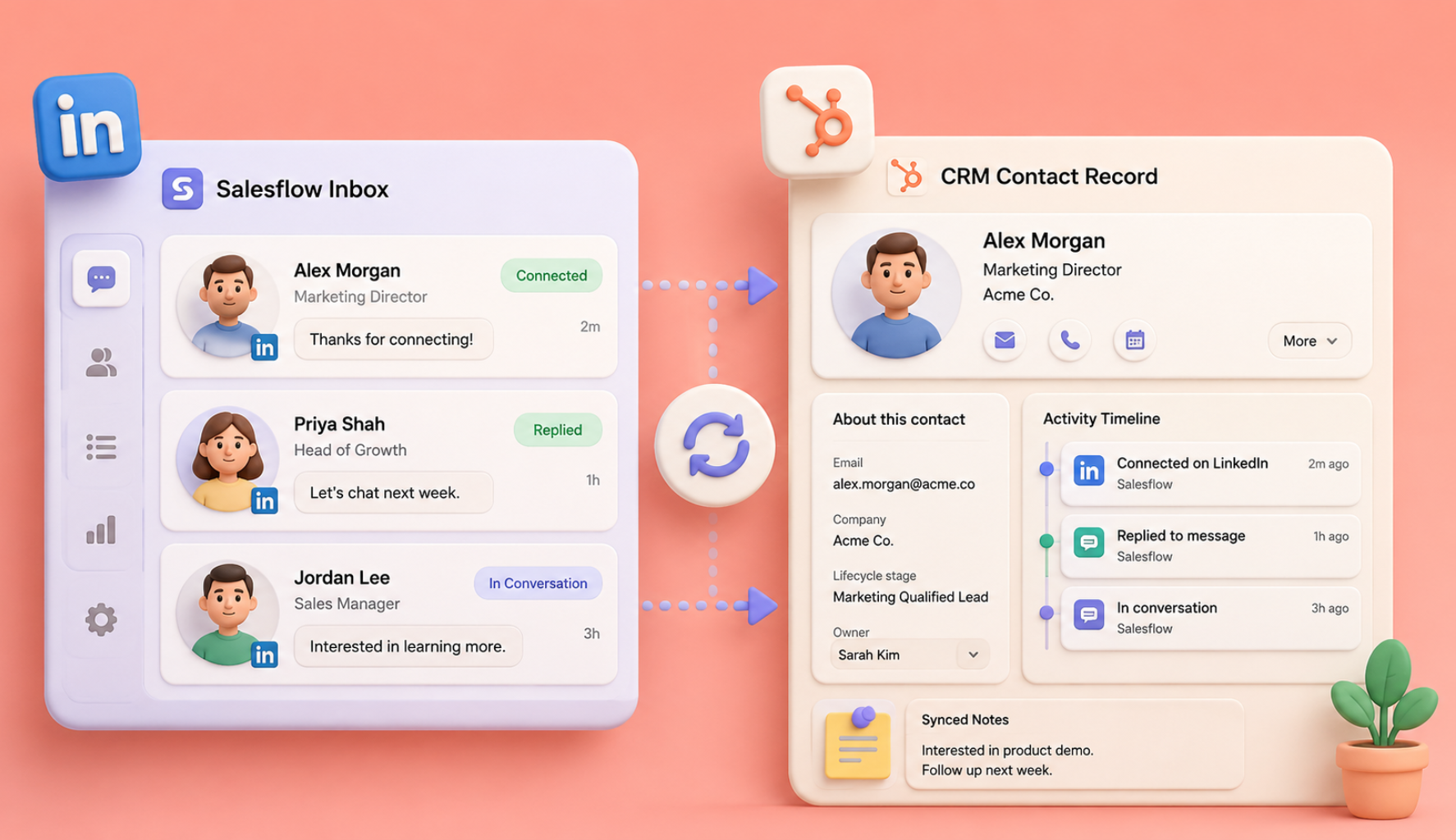
Most real estate agents treat LinkedIn as a digital business card: a profile they polish once and then forget. Meanwhile, the agents winning listings in 2026 are using it as a prospecting engine: connecting with local investors, trading referrals with buyers' agents in other markets, and getting in front of relocating executives before they ever type an address into Zillow.
The problem? Doing that manually takes hours each week you do not have between showings, valuations and closings. That is where a LinkedIn automation for real estate changes the maths: it runs your connection requests, follow-ups and InMail outreach in the background, safely and at scale, while you focus on the conversations that turn into commissions.
This blog covers LinkedIn prospecting for realtors in 2026: who to target, listing outreach workflows that win mandates, the compliance rules you cannot afford to ignore, and a step-by-step Salesflow campaign setup tailored to real estate prospecting.
Why LinkedIn Is a Real Estate Agent's Most Underrated Prospecting Channel
Here is the mindset shift: LinkedIn is not where you find home buyers scrolling through listings; it is where you find the people who send you business.
Zillow, Rightmove and Instagram are consumer channels. LinkedIn is a professional network, so real estate lead generation on LinkedIn is best focused on:
- Property investors are actively looking for their next acquisition
- Buyers' agents in other cities who need a trusted partner in your market (referral pipeline)
- Relocation and HR managers at large local employers who move staff into your area
- Lenders, CPAs, estate attorneys and financial advisors: the classic referral flywheel
- Developers and commercial property owners with recurring transaction needs
One warm referral partner on LinkedIn can be worth more than a hundred cold portal leads because these relationships compound. LinkedIn outreach for real estate agents works best when it is consistent: agents report 15-20 qualified B2B conversations per month, and unlike bought leads, nobody else is competing for them.
The challenge is consistency. Sending 15-20 personalised connection requests a day, following up three times and logging every reply is exactly the kind of repetitive work that drops off your calendar when a deal heats up. LinkedIn connection request automation helps keep that work moving.
What LinkedIn Automation for Real Estate Actually Does for an Agent
A platform such as Salesflow acts as an always-on prospecting assistant for real estate agents. Instead of manually working through search results, it:
- Automates connection requests to a targeted list (e.g., "property investors within 25 miles of Austin") with personalised notes, supporting up to 400 invites a month
- Sends follow-up message sequences automatically when someone accepts, stops the moment they reply, and supports up to 2,000 follow-ups a month
- Automates Open InMails so you can reach prospects without waiting for a connection to be accepted, supporting up to 800 a month
- Personalises every message with variables such as first name, company and location, so the outreach reads as though you wrote it
- Centralises replies in one smart inbox that detects positive responses, so hot leads never get buried
- Syncs contacts and conversations to your CRM (HubSpot and others), keeping your pipeline clean without data entry
One distinction matters more than any feature list: cloud-based versus browser extension. Chrome extension tools run in your browser and are easier for LinkedIn to detect. A safe LinkedIn automation tool runs campaigns from a dedicated IP address with human-like activity patterns and built-in rate limits, making it a safer choice for an account your business depends on. (More on safety in the compliance section below.)
Who Real Estate Agents Should Target on LinkedIn
Before any automation, get your targeting right. These five audiences consistently produce results for real estate professionals:
1. Local property investors
Search for titles such as "real estate investor," "property investor," "portfolio manager" or "acquisitions," filtered by your metro area. Investors are repeat clients; one relationship can mean multiple transactions a year.
2. Buyers' agents and realtors in feeder markets
If you work in Miami, agents in New York, Chicago and Toronto send you relocating clients. Build referral partnerships by targeting "realtor," "real estate agent" or "broker associate" in the cities your buyers move from.
3. Relocation, HR and mobility managers
Search "relocation manager," "global mobility" or "HR director" at companies with offices in your area. One corporate relocation contact can deliver a steady stream of pre-qualified buyers and renters.
4. Referral professionals: lenders, CPAs, estate attorneys, financial advisors
These professionals meet people at exactly the moment they need an agent: during a mortgage pre-approval, inheritance, divorce settlement or retirement downsizing.
5. Developers, builders and commercial owners
If you’re an agent looking to go into new build or commercial work, look locally for “real estate developer,” “general contractor” and “asset manager.” The best way is to go for accounts with 500-10,000 followers, where your message is more likely to be seen.
Pro tip: LinkedIn's native search is useful, but Sales Navigator's geography, industry and headcount filters make list-building much sharper. A sales prospecting tool for LinkedIn, such as Salesflow, can then run campaigns directly from your saved Sales Navigator searches.
Listing-Outreach Workflows That Win Mandates and Move Inventory
And here is where automation is not a time saving, it is a revenue channel. 3 workflows to run:
Workflow 1: New listing campaign to your investor network
Goal: Move investment-grade listings quickly and prove to sellers that you have buyer reach.
- Build a list of local and out-of-market investors (audience #1 above).
- Connection request: "Hi {{first_name}}, I work with investors buying in {{your market}} and share off-market and new-to-market opportunities before they hit the portals. Thought it'd be worth connecting."
- Follow-up 1 (2 days after acceptance): a short introduction plus one current listing with the numbers investors care about (cap rate, rent estimate, price/sq ft).
- Follow-up 2 (5 days later): offer to add them to your deal-alert list; this converts a one-off message into a permanent distribution channel.
Every listing you take now has a built-in buyer audience, which becomes a listing-presentation advantage: "I promote your property directly to 800+ investors and agents in my network."
Workflow 2: Referral-partner campaign to buyers' agents
Goal: Build a predictable stream of inbound referral clients.
- Target realtors in your top 3–5 feeder cities.
- Connection request: "Hi {{first_name}}, I am a {{your market}} agent. A few of my clients relocate to or from {{their city}} each year, and I would love a trusted partner there to trade referrals with."
- Follow-up: propose a 15-minute introduction call and explain your referral fee arrangement.
- The value flows both ways, so agents are often open to this approach.
Workflow 3: Pre-listing outreach to likely sellers
Goal: Win mandates before competitors know they exist.
Business owners, executives being relocated, and investors rebalancing portfolios often signal a move on LinkedIn long before a sign goes up. Target senior professionals in your area with a soft-touch campaign: connect, share a quarterly market-value update for their neighbourhood and offer a no-obligation valuation. This is a slow-burn audience, but it helps you become "the agent I already know" when they are ready.
Across all workflows, keep connection notes under 300 characters, mention something local and specific, never pitch in the first message, and cap sequences at three follow-ups. Personalized LinkedIn outreach at a modest volume beats generic high-volume blasts; agents using precise local targeting report connection acceptance rates 2-3x higher than generic campaigns.
Compliance Considerations: Automate Without Getting Banned
.png)
Two compliance layers apply to real estate agents: LinkedIn's platform rules and real estate or marketing law. Take both seriously.
LinkedIn platform safety in 2026
LinkedIn's User Agreement prohibits unauthorised automation, and enforcement is real. For LinkedIn automation without getting banned, the goal is to keep your activity indistinguishable from that of an active human user. The 2026 ground rules are:
How to stay safe:
- Use a cloud-based tool, not a browser extension. A dedicated IP, human-like scheduling and platform-enforced rate limits provide protection. This is what safe LinkedIn automation means in practice: if a tool lets you turn the volume up to 100 requests a day, it is not protecting you.
- Warm up gradually. New to automation? Start at half volume for 2–3 weeks.
- Watch the acceptance rate. If it falls below 30%, pause and improve your audience targeting and connection note instead of increasing volume.
- Withdraw stale invites every few weeks. Hundreds of pending requests can trigger restrictions.
Real estate and marketing law
- Fair housing (US) / equality law: Never target, exclude or message people based on protected characteristics (race, religion, familial status, disability, national origin, etc.). Target by professional attributes: job title, industry, investor status and geography of business. This applies to prospecting messages just as it does to ads.
- License and brokerage disclosure: Most states/jurisdictions require your brokerage name (and often license number) in advertising communications. Put them in your LinkedIn profile and add them when a conversation turns to a specific property or service.
- Email laws (CAN-SPAM, PECR): If you extend campaigns to email through a multichannel outreach platform, include your business address and a working opt-out in every email.
- GDPR/CCPA: If you export prospect data or message EU or California residents, you are processing personal data; keep it in a proper CRM, honour deletion requests and only message people with a plausible legitimate business interest.
- RESPA (US): Referral-fee arrangements with lenders and other settlement-service providers have strict rules. Agent-to-agent referral fees are fine; be careful with anything involving settlement services.
These rules are manageable when your outreach is professional, relevant and honest.
Salesflow Campaign Setup Walkthrough: Real Estate Prospecting Step by Step
Here's how to launch your first automated real estate campaign in Salesflow in under an hour.
Step 1: Connect your LinkedIn account
Salesflow is fully cloud-based: connect your LinkedIn account (Sales Navigator recommended), and your campaigns run from a dedicated country-matched IP with human-like activity patterns. There is no browser extension, and nothing needs to be left running on your laptop.
Step 2: Build your prospect list
Three options are available: import a Sales Navigator search URL (e.g., "real estate investor" plus 25 miles around your city), import a CSV of prospects, or target members of relevant LinkedIn groups (local REIA groups are valuable). Start with one audience per campaign; investors and referral agents behave differently and deserve different messaging.
Step 3: Build your sequence
Use the campaign builder to chain your touchpoints: connection request -> follow-up 1 (2 days after acceptance) -> follow-up 2 (+4 days) -> follow-up 3 (+7 days). Use LinkedIn InMail automation to reach high-value prospects who have not accepted yet. Salesflow automatically stops the sequence for anyone who replies.
Step 4: Personalise with variables
Drop in {{first_name}}, {{company}} and {{location}} tags, then customise per audience using the templates from the workflows above. Two minutes of template work here doubles your reply rates.
Step 5: Set safe limits and schedule
Set daily volumes within the safe ranges above and schedule sending during your local business hours; a realtor messaging at 3 a.m. is an obvious bot signal. Salesflow paces activity with randomised, human-like intervals.
Step 6: Manage replies in the AI inbox
Every response lands in one inbox across all your campaigns (and all accounts, if you run a team). Positive replies are auto-detected and flagged, so the investor who says "send me the details" never sits unread behind twenty "no thanks."
Step 7: Sync to your CRM and measure
Use a LinkedIn automation tool with CRM integration, such as Salesflow, to connect to HubSpot (or your CRM of choice) so accepted connections and replies flow into your pipeline automatically. Then watch four numbers weekly: acceptance rate (target 30-40%+), reply rate (target 20%+ of accepted), positive-reply rate and conversations booked. If acceptance is low, improve targeting; if replies are low, improve your follow-ups.
Scaling for teams and brokerages: Salesflow's multi-account dashboard lets a brokerage run campaigns across every agent's profile from one place: the same playbook, multiplied across the whole roster.
From Automation to Appointments: What to Expect
A realistic ramp for a single agent profile:
- Weeks 1-2: Warm-up volume, first 40-60 connection requests, 15-25 new connections
- Month 1: 75-100 targeted new connections, 10–15 active conversations, 2-4 calls booked
- Month 3: A compounding network of investors and referral partners, deal-alert list running, referrals starting to arrive inbound
The agents who win are not the ones sending the most messages; they are the ones who show up consistently for months. Automation makes that consistency possible.
Start Prospecting While You're at Showings
Every hour you spend at a closing, your next client may be on LinkedIn: an investor hunting for deals, an agent in another city with a relocating buyer, or an HR manager moving forty families to your metro. LinkedIn automation for real estate helps you reach them every day, even when your calendar is full.
Salesflow runs your connection requests, follow-ups and InMails safely in the cloud, flags your hottest replies, and syncs everything to your CRM.
Start your free trial and have your first real estate prospecting campaign live this week.
FAQ
Is LinkedIn automation safe for real estate agents?
Yes. LinkedIn automation can be safe for real estate agents when you use a cloud-based tool with built-in rate limits, stay within 100 connection requests per week, and send personalised, targeted messages. Browser extensions and aggressive volumes are more likely to trigger account restrictions.
Can LinkedIn automation help me find home buyers?
Yes, indirectly. LinkedIn is a professional network, so it is best for reaching investors, referral partners, relocation managers and buyers' agents: the people who send you buyers and sellers rather than consumers browsing listings.
How many connection requests should a real estate agent send per day?
An established account should send 15-20 connection requests per day, or 80-100 per week. New accounts and first-time automation users should start at 5-10 per day and increase gradually over 3-4 weeks.
Does automated outreach violate fair housing rules?
No. Automation itself does not violate fair housing rules, but your targeting and messaging must never select or exclude people based on protected characteristics. Target only by professional criteria such as job title, industry and business geography.
What's the best LinkedIn automation tool for real estate agents?
Salesflow is the best LinkedIn automation tool for real estate agents because it combines cloud-based architecture, built-in safety limits, a unified inbox and CRM integration. It also supports multichannel LinkedIn and email campaigns, plus multi-account dashboards for teams and brokerages.
Do I need Sales Navigator to automate LinkedIn prospecting?
No, Sales Navigator is not required, but it is worthwhile. Its advanced filters for geography, industry and company size make prospect lists more precise, and precise targeting is what improves acceptance and reply rates.
.svg)


.png)