You ask AI for a cold email. It gives you a polished paragraph that could go to anyone. That's the problem: the words sound professional, but there's no reason for this buyer to answer.
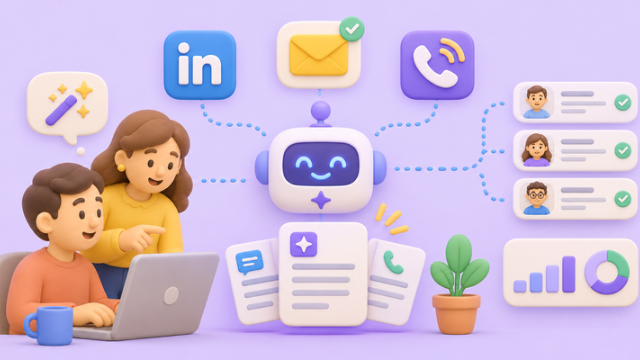
AI prompts for sales outreach work best when they specify the buyer, a verified reason to reach out, the offer, the channel and one next step. Below are 50 copy-ready prompts for email, LinkedIn and cold calls, organized by funnel stage. You'll also see how an AI SDR can turn those instructions into a reviewed campaign.
How to Write AI Prompts for Sales Outreach That Sound Human
Start with useful context, not a request to “write something engaging.” Replace the brackets in this reusable brief before choosing a prompt from the tables:
Base brief: We sell [offer] to [buyer role] at [company type]. Their possible challenge is [pain point]. Our verified proof is [approved case, statistic or none]. The reason to contact this person now is [verified trigger or none]. Use plain English, one idea, one clear ask, and no invented facts.
A trigger isn't mandatory. If you don't have one, tell the AI to write a thoughtful role-based message rather than manufacture a funding round, job change or website visit. For the broader process, see our AI SDR guide.
50 AI Prompts for Sales Outreach by Channel and Funnel Stage
Paste the base brief first, then copy the relevant prompt. Awareness starts a conversation; consideration explores fit; decision agrees on next steps; re-engagement reconnects without pressure.
1–20: Cold Email Prompts
| # |
Funnel Stage |
Copy-Ready Prompt |
| 1 |
Awareness |
Write a 70-word cold email to [role] using [verified trigger] and one low-pressure question. |
| 2 |
Awareness |
Suggest five subject lines under six words about [pain], avoiding hype and false urgency. |
| 3 |
Awareness |
Draft an introduction to a newly appointed [role], referencing only [confirmed announcement]. |
| 4 |
Awareness |
Explain [technical outcome] to a nontechnical [buyer] in two natural sentences. |
| 5 |
Awareness |
Lead with one observable symptom of [workflow problem], not a feature list. |
| 6 |
Awareness |
Ask whether [process] is a priority, without assuming the prospect has a problem. |
| 7 |
Awareness |
Tailor [offer] to [industry] using only [approved industry insight]; stay under 80 words. |
| 8 |
Awareness |
Write a founder-to-founder note about [challenge] with an invitation to compare approaches. |
| 9 |
Awareness |
Draft two email angles: [cost of delay] versus [practical outcome], with no fabricated evidence. |
| 10 |
Awareness |
Rewrite [draft] to remove flattery, vague benefits and unnecessary adjectives. |
| 11 |
Consideration |
Write a day-three follow-up adding [useful observation], without saying “just checking in.” |
| 12 |
Consideration |
Share [verified customer example] in 60 words without promising identical results. |
| 13 |
Consideration |
Reference [resource actually requested] and ask which part matters to the recipient. |
| 14 |
Consideration |
Reply to “not now” with [helpful resource] and a respectful timing question. |
| 15 |
Consideration |
Answer “send details” with three points relevant to [priority] and one next step. |
| 16 |
Consideration |
Answer [buyer question] directly in 90 words; don't push a meeting prematurely. |
| 17 |
Decision |
Invite an interested prospect to discuss [agreed topic], offering two scheduling options. |
| 18 |
Decision |
Recap [meeting notes] with agreed goals, open questions and named next actions. |
| 19 |
Re-engagement |
Reopen [dormant opportunity] using [new verified development] and prior conversation context. |
| 20 |
Re-engagement |
Write a polite final follow-up that leaves the door open without manufactured scarcity. |
21–35: LinkedIn Message Prompts
LinkedIn rewards relevance over a long pitch. Keep invitations brief, and respect the platform's rules against unauthorized automation.
| # |
Funnel Stage |
Copy-Ready Prompt |
| 21 |
Awareness |
Write a connection note about [shared professional interest]; don't pitch the product. |
| 22 |
Awareness |
Reference [verified public post] in a friendly invitation under 180 characters. |
| 23 |
Awareness |
Write a note after [industry event] without claiming we met there. |
| 24 |
Awareness |
Connect with [role] around [shared industry challenge], without forced familiarity. |
| 25 |
Awareness |
Use [publicly shared topic] to explain genuinely why I'd value connecting. |
| 26 |
Consideration |
After acceptance, ask one thoughtful question about [challenge] before discussing [offer]. |
| 27 |
Consideration |
Turn [verified industry change] into a concise message connected to [relevant outcome]. |
| 28 |
Consideration |
Offer [short checklist] in a DM without immediately requesting a call. |
| 29 |
Consideration |
Reply to “interesting” with one question clarifying [buyer goal]. |
| 30 |
Consideration |
Shorten [draft] to 45 words and remove generic compliments and buzzwords. |
| 31 |
Decision |
Invite an engaged connection to discuss [problem] for 15 minutes, with an easy decline. |
| 32 |
Decision |
Follow up on [conversation] by confirming [agreed need] and [next step]. |
| 33 |
Re-engagement |
Reopen the conversation after [time gap] using [new verified trigger]. |
| 34 |
Re-engagement |
Respect a timing objection; offer [resource] and ask when to reconnect. |
| 35 |
Re-engagement |
Write a graceful closeout after two unanswered messages, without guilt or urgency. |
36–50: Cold Call Script Prompts
These prompts prepare human callers. Use them to practice openings, respond to objections and prepare discovery questions; they aren't instructions for an AI voice bot.
| # |
Funnel Stage |
Copy-Ready Prompt |
| 36 |
Awareness |
Draft a permission-based, 15-second opener for [role] about [verified business signal]. |
| 37 |
Awareness |
Open with a question about how [industry] leaders handle [specific process]. |
| 38 |
Awareness |
Introduce [caller] and [company] to a gatekeeper with a truthful calling reason. |
| 39 |
Awareness |
Write a voicemail under 25 seconds with [reason] and a callback option. |
| 40 |
Awareness |
Give me a respectful response when a prospect has only 30 seconds. |
| 41 |
Consideration |
Ask three open questions about how [current workflow] operates today. |
| 42 |
Consideration |
Explore the impact of [pain] and who owns the decision without leading questions. |
| 43 |
Consideration |
Respond empathetically when [problem] isn't a priority; ask whether timing may change. |
| 44 |
Consideration |
Explain [verified customer example] conversationally without predicting this buyer's results. |
| 45 |
Consideration |
Connect [buyer answer] to [relevant capability] in less than 20 seconds. |
| 46 |
Decision |
Answer “send me an email” by asking which information would help. |
| 47 |
Decision |
Respond to “we already use something” by asking what currently works. |
| 48 |
Decision |
Explore a price objection through requirements, without inventing savings or offering discounts. |
| 49 |
Decision |
Propose a meeting after [expressed interest], defining the agenda and expected outcome. |
| 50 |
Re-engagement |
Leave a voicemail after [missed agreed call], offering an easy way to reschedule. |
How AI Agents in Sales Put These Prompts to Work: An Ariel Example
Imagine you're selling a reporting tool to SaaS sales leaders. Instead of drafting 25 identical emails, you open Ariel Chat in Salesflow and give it a specific assignment:
Find 25 VPs of Sales at SaaS companies in Chicago. Put matching prospects in a list. Help prepare email outreach about reporting handoffs. Use only verified contact facts; let me review every message before sending.
Ariel can search by job title, industry and location. After you review matches, contact enrichment can look for verified work emails. In Campaigns, set the audience, offer and writing rules, then enable AI personalization on the relevant email step. Drafts enter the Review queue for approval, editing or rejection.
A sample draft, assuming the prospect's details are confirmed, might read:
Subject: Reporting handoffs
Hi [First name], when a sales team adds new managers, keeping reporting consistent can get harder. We help teams bring their handoff information into one view. Is improving that process on your radar this quarter?
From there, a LinkedIn follow-up can be added to the sequence. Ariel's unified inbox brings replies together for review. For a human phone follow-up, reps can prepare a call list and use the Salesflow Power Dialer. Explore the connected workflow on our AI outbound sales page.
Five Checks Before Any AI Sales Message Goes Live
• Verify the hook. Never pretend someone attended an event or read your email.
• Keep one ask. A question often works better than stacking a demo, deck and calendar link.
• Use the right channel. Email can explain context; LinkedIn starts dialogue; calls invite discovery.
• Respect opt-outs. The FTC's CAN-SPAM guidance applies to US B2B commercial email too; follow applicable laws elsewhere.
• Review the output. Check names, evidence, tone, suppression lists and timing before approving anything.
Judge AI outreach by qualified replies and meetings, not how many drafts it produces. If you'd like to see how Ariel supports prospect research, approved outreach and reply handling, book a Salesflow demo.
Frequently Asked Questions
What makes an effective AI sales outreach prompt?
It names the buyer, channel, relevant pain, verified context, format and desired next step. It also tells AI not to invent facts.
Can I reuse one prompt for email, LinkedIn and calls?
Reuse the buyer context, not the wording. Email needs a subject and concise body; LinkedIn needs a conversational message; calls need an opener and discovery question.
Can AI agents in sales send outreach without review?
That depends on the product. Ariel routes AI-written outreach through human review and approval before prospects receive it.
Does Ariel make automated cold calls from these scripts?
No. These scripts support human callers. Salesflow's Power Dialer helps reps place calls; new AI voice-led campaigns aren't available in the current release.