
.png)
Prefer listening?
Hear the audio version of this article here:
Outreach gets harder to manage when a campaign starts producing real conversations. The problem is rarely the number of messages alone. It is deciding which reply needs attention, which prospect is waiting on a follow-up, which campaign created the conversation, and when an automated sequence should give way to a human response.
LinkedIn inbox management software adds workflow around those decisions. Instead of treating every thread as an isolated message, a rep can work with filters, tags, templates, scheduled sends, reminders, and campaign context. That makes a linkedin outreach inbox useful as an operating queue, not simply a place where messages accumulate.
Why LinkedIn inbox management matters once outreach scales
Studies show that reps spend about 70% of their time on non-essential, admin tasks and only 30% of their time on selling. The shift to LinkedIn as a primary outreach channel has now created a new bottleneck for reps: managing the inbox.
A native inbox is fine for a small number of conversations. The pressure changes when prospecting becomes a repeatable process. Reps may be running several campaigns, following up with different segments, and switching between new replies and older conversations that still need action. Without a consistent method, the highest-value response can sit beside routine messages with no obvious priority.
A better system gives every reply enough context to answer three questions quickly: Who is this person? Why did we contact them? What should happen next? If your team cannot answer those questions from the conversation view, response quality and follow-up speed depend too heavily on memory.
A smart inbox LinkedIn setup, like the one built into Salesflow, changes that dynamic completely.
It pulls all messages from LinkedIn and Sales Navigator into one view, flags unread replies, syncs data automatically, and can be filtered through tags so that no lead is ever left unattended. More on this below.
What is a smart inbox for LinkedIn outreach? (and How It Works)
A smart inbox for outreach combines the conversation with tools that help a rep triage and act. The useful features are practical: filter the view, find conversations by campaign or status, reuse approved response patterns, schedule a message for later, and snooze a thread when the next action belongs in the future.
A smart inbox gives teams context: who the lead is, where they came from, what campaign they’re part of, and who’s already replied. Here’s how it typically works inside Salesflow:
- Unified inbox view: All messages from LinkedIn and Sales Navigator accounts sync automatically in real time.
- Lead-level context: Each thread shows key details: name, company, campaign source, notes, tags, and reply history.
- Filtering and search: Teams can sort conversations by campaign, tag, or status in seconds.
Instead of juggling tabs and guessing who followed up last, teams get full visibility and control over every conversation, in real time.
Here’s a quick look at what our smart inbox looks like:
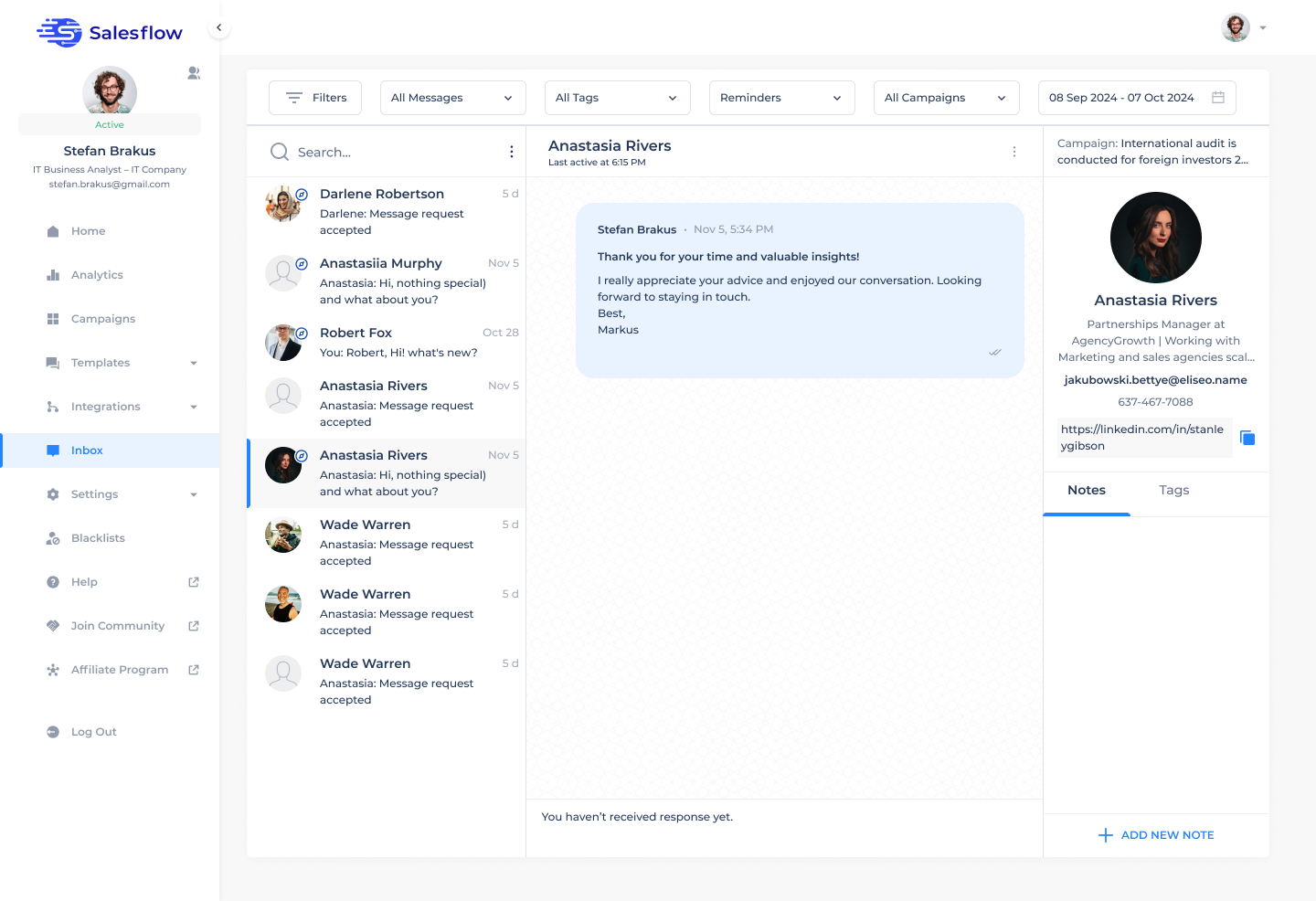
Salesflow's Inbox includes quick response templates, scheduled send, filters, and snooze or reminder controls. Those features support LinkedIn message management inside the campaign workflow, where the rep can respond with the outreach context still visible.
How the Salesflow Unified Inbox Differs from LinkedIn’s Native Inbox
LinkedIn’s native inbox works well for individual use, but it wasn’t designed for teams running coordinated, high-volume outreach. Once multiple reps or accounts get involved, messages scatter, visibility drops, and follow-ups slip.
Here’s how Salesflow’s smart inbox solves that:
- Unified View: See every conversation from both LinkedIn and Sales Navigator accounts in one place, no switching tabs.
- Team Access & Ownership: Each team member manages their own inbox, while managers can view overall campaign performance and message activity across accounts.
- Real-Time Syncing: All messages sync automatically between LinkedIn, Sales Navigator, and Salesflow, so updates and replies stay consistent everywhere.
- Smart Filters & Tags: Sort by campaign or tag to manage high message volumes without losing context.
- Analytics & Oversight: Track overall reply rates and performance across campaigns from the dashboard.
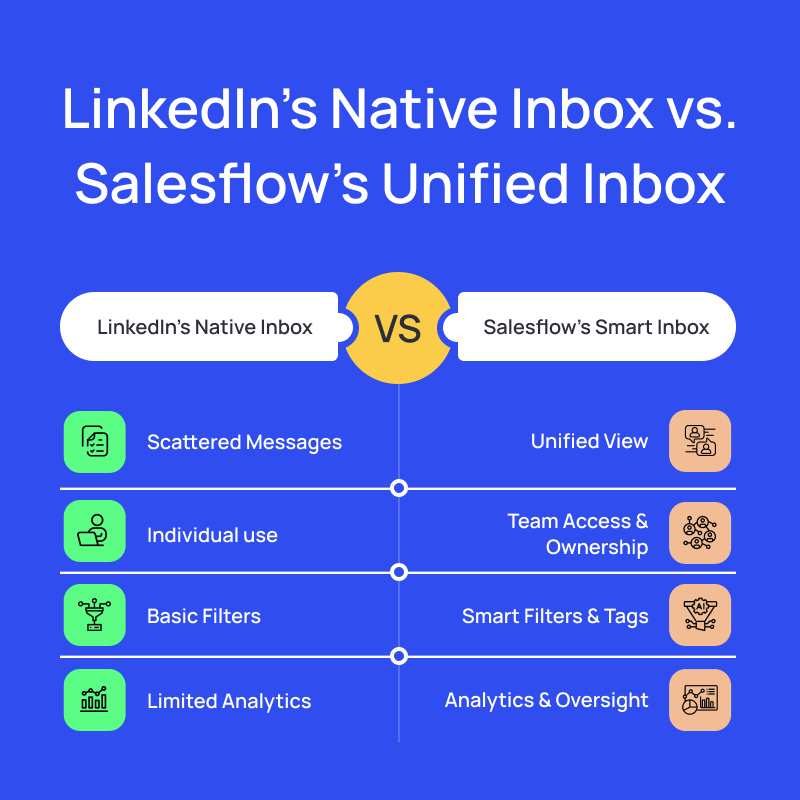
Salesflow on your mind? See how we fare against the native LinkedIn inbox. Try us free for 7 days here.
Manage LinkedIn replies with campaign context
The first job of a linkedin outreach inbox is triage. Use filters and tags to separate new replies from conversations that already have a next step. Keep the campaign source visible so the rep understands the original angle. If the prospect has replied, the rep should review the full thread before choosing a template or writing a custom response.
Campaign metrics can add another layer of context. Advanced Analytics shows reply rates, lead activity, template performance, and campaign patterns, which helps teams see whether an inbox problem is isolated to a rep workflow or reflects a wider issue with targeting and messaging.
In Salesflow’s unified inbox, you can sort and filter messages with multiple criteria:
Curious what Salesflow can do for you? Sign up for our 7-day free trial here.
Bulk inbox organization should reduce noise, not hide conversations
Filters are useful when they narrow the inbox to a clear action. For example, you might review one campaign, a specific tag, or conversations waiting on a follow-up. Avoid creating so many categories that the team spends more time maintaining the inbox than speaking with prospects.
Snooze and reminder controls are particularly helpful for conversations where the prospect has given a future date. That keeps the thread out of the immediate queue without relying on memory. Scheduled send can help when a response is prepared now but should land at a more appropriate time.
Team ownership matters as much as the software
Teams sometimes look for a linkedin contact management tool when the real issue is ownership. Define who is responsible for each connected account, who handles positive replies, what happens when a prospect should be handed to another rep, and where qualified activity is recorded in the CRM.
For teams using HubSpot, Salesflow's native HubSpot integration can help keep contact and campaign information aligned. That gives the CRM a clearer handoff point once a conversation moves beyond prospecting.
Best practices for reply assignment and follow-up
- Keep one clear owner for each conversation at any given time.
- Stop or pause automated outreach when a real reply changes the context.
- Use tags for business-relevant states, such as qualified, follow up later, referral, or not a fit.
- Use response templates as a starting point, then adapt the message to the actual thread.
- Record the next step where the wider sales team can see it, especially after qualification.
Keep message syncing and follow-up practical
The inbox is most useful when the thread reflects the current campaign conversation. Reps should be able to see the recent exchange before responding, rather than piecing the sequence together from separate tabs. If a sync or connection issue appears, resolve it before continuing automation so the campaign does not act on incomplete context.
LinkedIn changes product behavior and messaging requirements over time, so teams should also review the LinkedIn Sales Navigator Help Center when a workflow depends on a particular LinkedIn feature or plan.
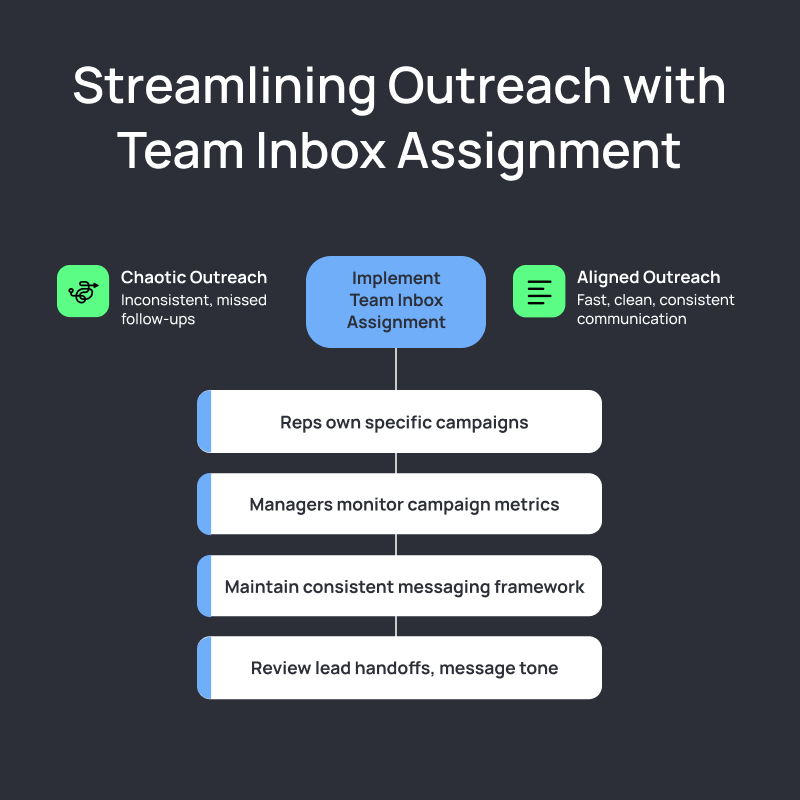
Turn inbox efficiency into better pipeline follow-up
Inbox speed by itself is not the goal. The useful outcome is a cleaner path from reply to qualification. A rep should be able to identify a meaningful response, understand the campaign context, answer appropriately, and create the next sales action without rebuilding the history from scratch.
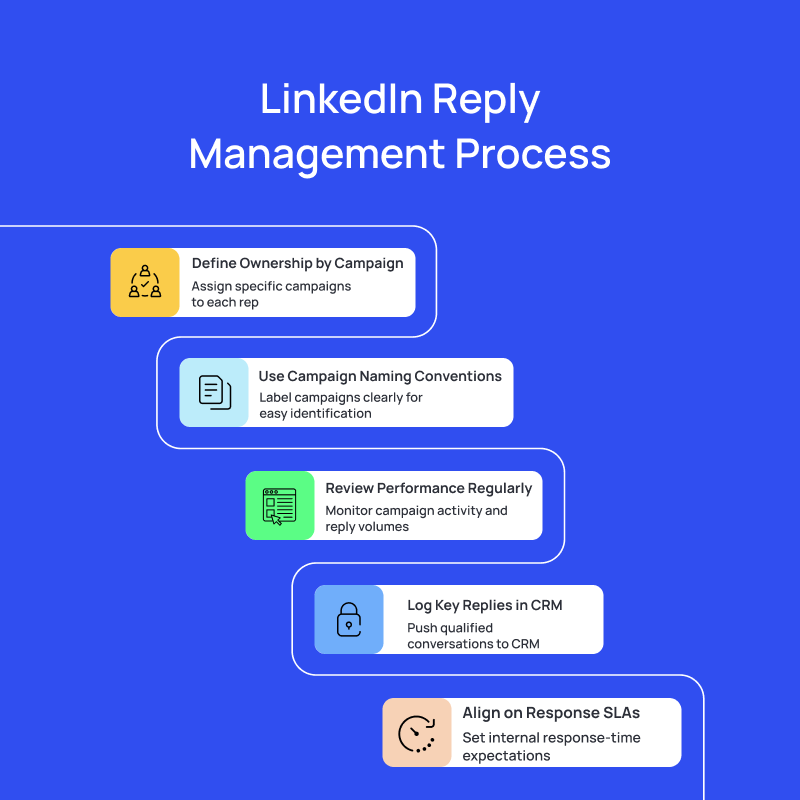
How Salesflow simplifies LinkedIn inbox management
Salesflow combines campaign conversations with the controls reps need for day-to-day LinkedIn message management: filters, tags, quick response templates, scheduled send, and snooze or reminders. Managers can pair that workflow with campaign analytics, while CRM integrations help keep qualified prospect context available after the conversation moves further down the funnel.
Keep campaign replies organized
Use Salesflow to manage outreach conversations with filters, response templates, scheduled send, reminders, and campaign context.
.svg)


