
.png)
Prefer listening?
Hear the audio version of this article here:
For all the talk about “outbound being dead,” LinkedIn sure continues to outperform every other B2B channel, even in 2026. Not because it’s easier (it’s not) but because it gives teams something email, ads, and cold calls can’t: easily identifiable intent, authoritative identity, and instant context.
And the numbers back it up. LinkedIn is still where the buyers are: over 65 million decision-makers actively use the platform, and 40% of sales and marketing leaders say LinkedIn delivers the highest-quality leads of any channel.
Conversion rates are 3x higher than competing platforms, and teams using data-driven workflows (Sales Navigator + automation) consistently generate 5-7x more pipeline.
But here’s the tradeoff: because LinkedIn’s data is so valuable, the platform has every incentive to keep it clean, no-nonsense, and very difficult to automate recklessly. That’s why LinkedIn updates its T&C frequently and why its anti-spam systems now look more like fraud-detection engines than social network safeguards. It evaluates action velocity, dwell time, navigation patterns, message structure, and dozens of subtle signals that reveal whether outreach is natural or not.
And the message is pretty direct: If you want to automate on LinkedIn, do it well, or get banned. Which, frankly, is good news for anyone doing outreach properly.
If you want to nail LinkedIn outreach in 2026, this guide breaks down what’s actually working right now, how you can navigate LinkedIn’s strict rules, and how you can build a system that fits your workflows without getting throttled. We’ll cover:
- How compliant lead scraping works in 2026
- How modern infrastructure keeps outreach safe at scale
- And how sales teams, agencies, recruiters, and startups can each build automation strategies tailored to the way they operate
Let’s dive in.
The Foundation: Understanding LinkedIn Lead Scraping and Data Extraction
Before you automate anything on LinkedIn, you need clean data. The strength of any LinkedIn automation system is determined long before a connection request is sent: it starts with how well you collect, structure, and enrich the data powering your campaigns.
In 2026, lead scraping and data extraction aren’t hacks; they’re the backbone of compliant, high-precision outbound. Done right, they give you relevance, segmentation, and context. Done poorly, they get you throttled, shadowbanned, or targeting the wrong people entirely.
So before we talk systems or sequences, let’s break down the part everyone overlooks, the data layer.
What Is LinkedIn Lead Scraping (and Is It Legal)?
At its core, LinkedIn lead scraping is simply the process of collecting publicly available data from LinkedIn profiles so you can build cleaner, more targeted prospect lists. That might look like job titles, industries, company sizes, locations, skills, or keywords, the same information you would manually copy if you were doing it the slow, painful way.
The confusion comes from the word “scraping.” People hear it and imagine some shady bot siphoning private data. That’s not what modern, compliant scraping tools do.
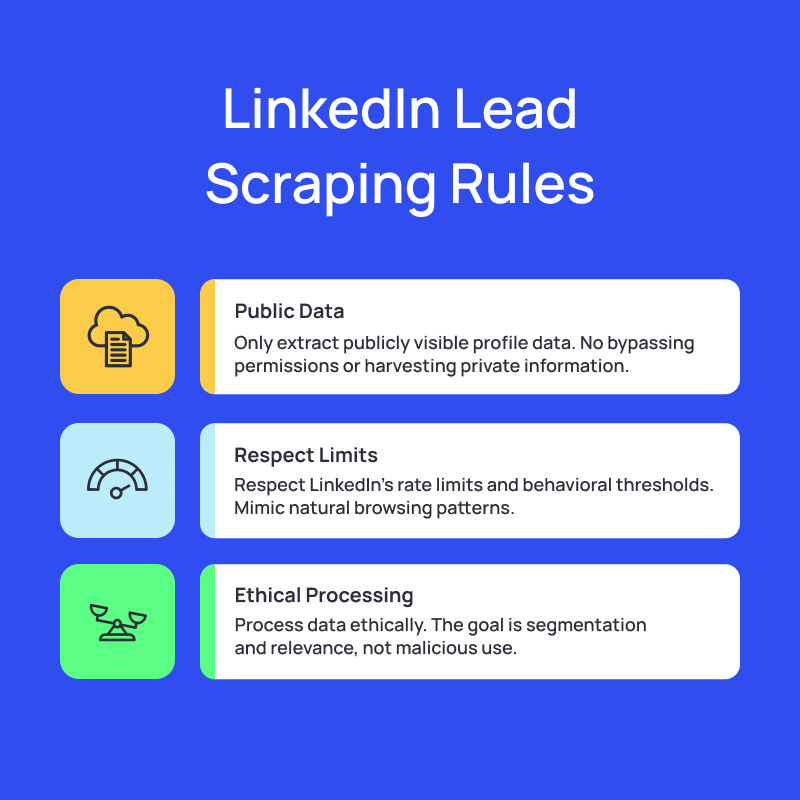
A compliant lead scraping workflow in 2026 follows three rules:
- It only extracts publicly visible profile data: No bypassing permissions. No private email harvesting. No hidden fields.
- It respects LinkedIn’s rate limits and behavioral thresholds: Cloud-based tools mimic natural browsing patterns.
- It processes data ethically: The goal is segmentation and relevance.
Legality-wise, the landscape is straightforward: Scraping public data is legal in most jurisdictions (and backed by case law), but scraping private data or violating a website’s technical protections is not.
The nuance is in the execution. That’s why reputable automation platforms emphasize compliance, throttling, and behavioral safety.
You just need to avoid tools that promise superhero-like volume. LinkedIn doesn’t punish intention; it punishes suspicious behavior.
And it’s worth clarifying one more thing: data scraping ≠ data enrichment.
- Scraping = pulling data from LinkedIn itself.
- Enrichment = expanding that data using external sources (email databases, firmographic APIs, intent signals).
How LinkedIn Data Extraction Tools Work
Modern LinkedIn extraction tools don’t operate like the old-school browser extensions everyone used in 2020. Those were brittle, spammy, and responsible for a lot of account bans and restrictions.
The 2026 version looks more like this:
- Cloud-based browsers that simulate a human browsing session
- Smart throttling that adapts to your account’s activity level
- Profile indexing to collect data without sending invasive requests
- Segmentation logic that tags and organizes contacts as they’re scraped
- Automatic syncing to CRMs, spreadsheets, or outbound tools
Instead of “grab as many profiles as possible,” it’s now: collect clean, structured data you can act on.
The benefits are pretty immediate:
- Accuracy: no more copy-paste errors, outdated lists, or "is this the right person?"
- Segmentation: filter prospects by role seniority, hiring activity, funding, product stack, or any custom label.
- Time savings: manual building of a 200-person prospect list can take 3-4 hours; modern tools do it in minutes.
And the use cases go beyond sales:
- Sales Prospecting: build targeted ICP lists and fuel multi-channel outreach.
- Recruitment: identify candidates by skills, tenure, and role progression.
- SaaS Pipeline: extract buying committees and route them automatically into campaigns.
How to Scrape LinkedIn Emails Safely and Effectively
This is where things get messy if you’re not careful.
Scraping profile data is one thing. Scraping emails is where people get into trouble.
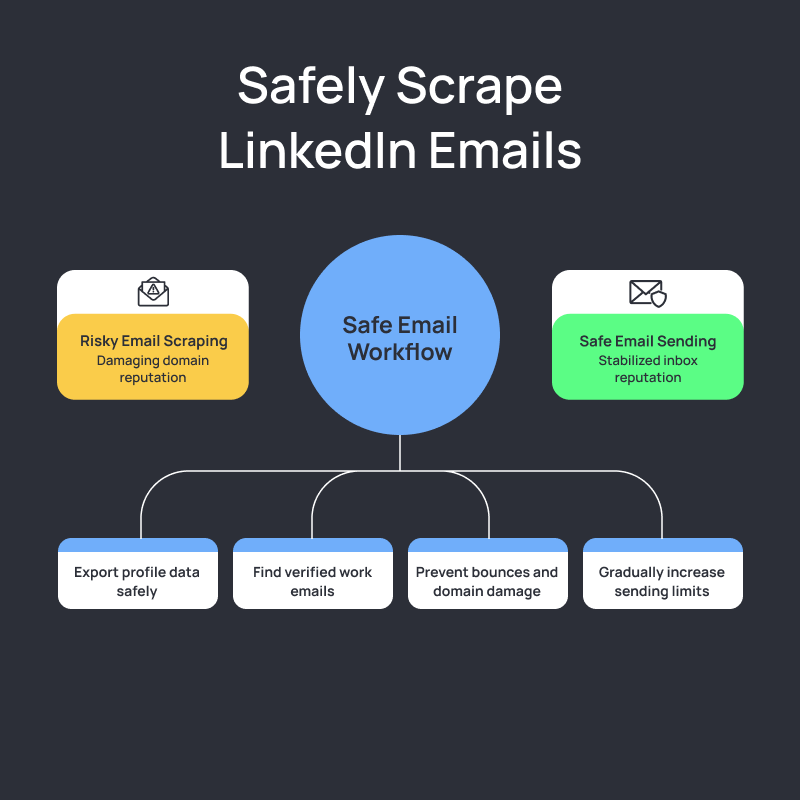
LinkedIn does not want you to lift emails directly from the platform, even if they’re visible. That’s why safe email workflows rely on a two-step approach:
1. Scrape the profile → enrich outside of LinkedIn
You export the profile data, then pass it to an external tool to find verified work emails.
This keeps your LinkedIn activity compliant while still giving you high-quality contact data.
2. Verify every email before sending anything
Unverified emails → bounces
Bounces → domain reputation damage
Domain damage → every channel suffers
The safest workflows in 2026 look like this:
- scrape LinkedIn profile data (public only)
- enrich with a third-party provider
- run verification at scale
- feed verified contacts into sequences
- monitor deliverability and adjust volume
3. Avoiding spam traps and sender risk
Scraping data is the easy part. Not destroying your domain reputation is the real game. Most deliverability issues come from avoidable mistakes that compound quickly once you start scaling.
A few things you never want to do:
- scraping “generic emails” like info@, hello@, support@
- enriching contacts tied to outdated roles or job history
- sending outreach to multiple emails for the same prospect
- mailing freshly scraped lists from a cold domain with no warmup
- pushing volume without monitoring bounce rate, reputation, or engagement
Even with perfect enrichment, your domain itself needs to be trusted before you send anything at scale. That’s exactly where Salesflow’s SmartWarmup becomes critical.
Instead of manually guessing how many emails to send or when to ramp volume, SmartWarmup:
- gradually increases daily sending limits
- uses safe warmup messages to build sender credibility
- monitors deliverability signals and adjusts sending accordingly
- helps stabilize inbox reputation before real sequences begin
Combine that with verified contacts and quality enrichment, and you drastically reduce the usual risks:
- sudden reputation drops
- spam-trap hits
- bounce clusters
- flagged campaigns from sending too aggressively
SmartWarmup makes your domain safe to send from. Your enrichment and targeting make it worth sending to.
Building a Scalable LinkedIn Automation System
Most teams fail at LinkedIn outreach because they automate the wrong thing first. They focus on messaging volume instead of data reliability, number of sequences instead of sequence logic, and tools instead of workflow coherence.
In this section, we’ll break down how modern sales teams build LinkedIn automation that scales without collapsing, starting with the piece every SDR team cares about most: the day-to-day outreach engine.
How to Configure a LinkedIn Outreach Sales Tool
Most teams configure automation tools backwards: they start with sequences, not systems. Here’s the correct order:
1. Define your outbound motion
Choose one:
- top-of-funnel awareness
- demo generation
- multi-threading into accounts
- reviving cold leads
- nurturing engaged prospects
Each motion needs a different message style, pacing, and volume.
2. Set your safety layer
A proper setup includes:
- daily limits
- connection request caps
- buffer windows
- randomized delays
- SmartWarmup for email
- avoidance of peak spam hours
This is how you protect the account before scale.
3. Build sequences tailored to each list
No sequence should try to communicate with everyone.
Examples:
- CTOs → technical framing, efficiency-driven
- Heads of Sales → pipeline and productivity
- Founders → growth + survival + cost efficiency
- Recruiters → candidate quality + speed
4. Integrate with your CRM + email workflows
Salesflow, for instance, pushes prospect data, replies, and campaign actions directly into your CRM. That means:
- no manual logging
- no “ghost prospects”
- no inaccurate reports
5. Launch, observe, adjust
Don’t scale volume until:
- warmup is complete
- bounce rate is stable
- reply rate is healthy
- your messaging actually works
Sales Development LinkedIn Automation: A Step-by-Step Setup
Sales teams don’t need more chaos; they need fewer tabs and fewer repetitive tasks. Modern LinkedIn automation eliminates busywork without removing the human element.
Here’s the simplest version of a scalable SDR workflow in 2026:
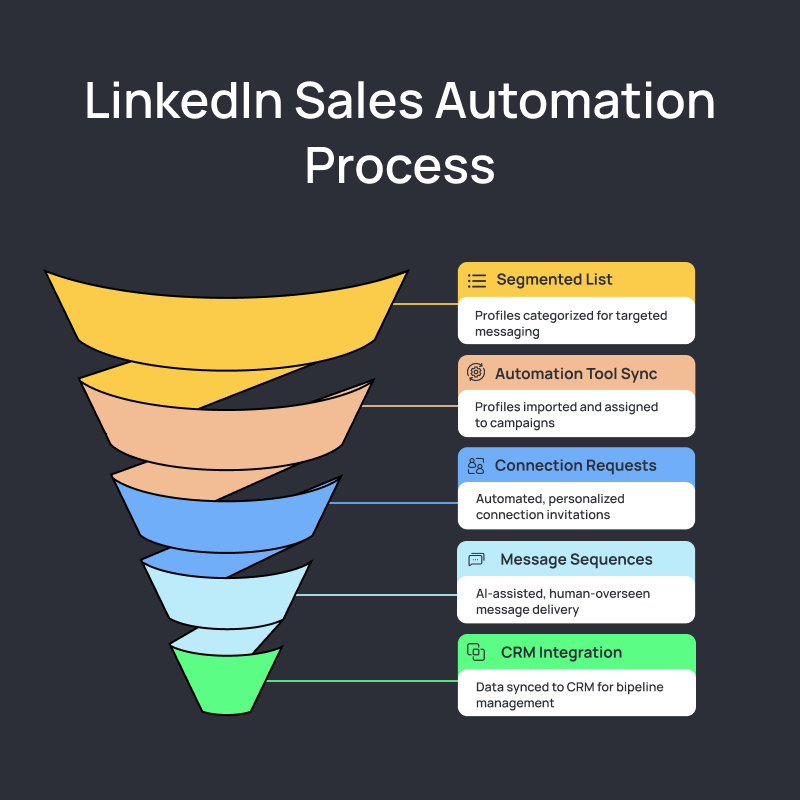
1. Build a clean, segmented LinkedIn list
Start with scraping or exporting profiles from Sales Navigator.
Segment by:
- seniority
- function
- industry
- keywords (tech stack, hiring, intent triggers)
- similarity to closed-won accounts
This is critical. If your targeting is off, no amount of messaging brilliance will save you.
2. Sync your list into your automation tool
A good LinkedIn automation system should:
- import contacts seamlessly
- auto-detect duplicates
- map prospects directly into campaigns
Salesflow, for example, handles this via contact syncing and list-based campaign assignment, making sure each prospect flows into the right sequence.
3. Automate connection requests (light personalization)
Connection requests in 2026 aren’t 3-4 sentence mini-emails. They’re:
- concise
- contextual
- low-friction
- non-salesy
Your goal: get accepted, not pitch.
Tools can automate these safely by pacing requests, using natural delays, and avoiding repetitive templates.
4. Automate message sequences
AI can help generate variations, but humans should still set the strategy and oversee tone.
What automation does well:
- delivering messages at human-like intervals
- skipping prospects who reply
- detecting positive vs neutral vs negative responses
- logging all activity automatically
What automation should never do:
- blast identical pitches to hundreds of people
- ignore platform limits
- ignore relevance
5. Sync back into your CRM automatically
If your CRM isn’t updated, your pipeline data lies.
Automation tools should push:
- connection status
- replies
- follow-up tasks
- Tags
- sequence outcomes
This eliminates manual admin work and keeps the pipeline clean. With Salesflow’s native integrations, you can do all this seamlessly.
6. Monitor performance and iterate weekly
Scalable systems have feedback loops.
Look at:
- acceptance rate
- reply rate
- positive reply rate
- booking rate
- audience segments that perform best
Kill low-performing sequences. Shift time into what converts. Outbound is 80% list quality and 20% messaging; act accordingly.
LinkedIn Automation for Agencies, Startups, and Recruiters
Every team uses LinkedIn differently, but the underlying goal is the same: turn LinkedIn’s data into predictable pipeline.
The difference lies in scale, constraints, and operational complexity.
- Agencies run dozens of campaigns across multiple clients.
- Startups run lean outbound motions to survive and grow.
- SaaS teams use LinkedIn to accelerate demos and compress sales cycles.
- Recruiters use it to source candidates faster than competitors.
The workflows aren’t interchangeable, which is why “generic outreach advice” almost always fails. LinkedIn automation only clicks when the system mirrors the nature of your operation.
Let's break down how each type of team should actually approach LinkedIn automation in 2026.
LinkedIn Automation for Agencies: Scaling Client Outreach
Agencies don’t have the luxury of running sloppy workflows. One mistake doesn’t burn your account; it burns a client’s, and that’s a far bigger problem.
A scalable agency workflow in 2026 looks like this:
1. Multi-account management that doesn’t trigger LinkedIn alarms
Browser extensions and VPN juggling are dead. Agencies need cloud-based systems that isolate accounts safely and eliminate suspicious login behavior.
2. Templates built for consistency, not copy-paste spam
Agencies should build frameworks, not templates, adaptable messaging structures that plug into any ICP without sounding robotic.
Salesflow lets you build mass-personalized templates that you can use over and over again:
If you’re curious about what Salesflow can do for you, sign up for our 7-day free trial here.
3. Automated reporting that clients actually understand
Clients care about:
- acceptance rates
- replies
- positive replies
- meetings booked
- pipeline influenced
Automation tools should generate this without the agency stitching data together every Friday night.
4. Workflow automation that protects your bandwidth
High-scale outreach requires:
- auto-tagging
- response routing
- campaign rotation
- safety throttles
- centralized inboxes
5. The golden rule for agencies:
You’re not scaling outreach, you’re scaling quality control. Automation helps you do it without losing your mind.
Salesflow’s infrastructure is built for exactly this: stable volume, safe limits, clean data, and the ability to manage dozens of client campaigns without risking account blocks.
LinkedIn Lead Gen for Startups: Turning Data into Pipeline
Startups don’t have big teams or big budgets. They have runway, desperation, and a need for something that produces pipeline fast.
LinkedIn automation, done properly, is one of the few systems that checks all those boxes.
1. Build an ICP that’s brutally narrow
Early-stage outreach fails because founders pick an ICP that’s “everyone who might buy.”
Your ICP for LinkedIn should be:
- tiny
- specific
- behavior-based
- problem-aware
Startups win by precision, not volume.
2. Scrape → enrich → verify → message
This 4-step chain is the difference between:
- clean, targeted outreach that books meetings
vs - random messaging that burns your domain and your credibility
3. Automate sequences, but keep founder-level personalization
Founders get replies because they write context. Your automation tool should:
- insert personalized intro lines
- handle follow-ups
- stop sequences on replies
- log everything without you touching the CRM
4. Leverage multi-channel
LinkedIn + email always beats LinkedIn alone. Your workflows should share suppression lists and sync activity automatically.
5. Move fast, but safely
- Warm your domain.
- Keep messaging simple.
- Scrape clean data.
- Respect limits.
- Review sequences weekly.
Want a tool that does all this and more? Read up more about what Salesflow can do for your startup here.
LinkedIn for SaaS Sales: Automating Demo Bookings and Trials
SaaS companies use LinkedIn differently. The goal isn’t just “get a reply”, it’s to get into the evaluation window before competitors do.
1. Automate the top-of-funnel triggers
Scrape or track:
- new hires in key roles
- job postings that imply pain points
- tech stack changes
- funding rounds
- buyer intent signals
Let automation route each trigger into the right sequence.
2. Use CRM + LinkedIn synchronization to personalize at scale
- Your CRM knows who visited your pricing page.
- Your LinkedIn knows when they updated their role.
- Combined, they create messages that feel timely, not templated.
3. Nurture warm leads automatically
Automate:
- follow-up nudges
- content drips
- soft CTAs
- reactivation bumps
4. Shorten sales cycles, don’t just add meetings
The best SaaS teams use LinkedIn to:
- multi-thread buying committees
- keep deals warm
- reinforce value
- surface new champions
Automation fills the top of the funnel. Sales accelerates everything underneath.
Salesflow helps you do this mindfully, but at scale. Find out more here.
LinkedIn Automation for Recruiters: Sourcing Faster with Data
Recruiters need soft CTAs, longer nurturing periods, and fast responses. For recruiters, these are things to remember:
1. Automated candidate sourcing
Scrape profiles based on:
- skills
- tenure
- experience progression
- certifications
- keywords
Then enrich them to fill in missing fields.
2. Pre-screening filters built into your workflow
Automation should tag candidates by:
- seniority
- location
- suitability score
- last role update
This cuts sourcing time by 50-70%.
3. Automated outreach + follow-ups that feel personal
Recruiting messages must sound human, but the sending doesn’t need manual clicks.
Automation handles:
- connection requests
- follow-up sequences
- reminders
- status updates
You keep the customization.
4. Keep personalization while scaling volume
Recruiters win on warmth, not generic templates.
Automation gives you the capacity. Your messaging gives you the edge.
You can use Salesflow to set up longer nurturing sequences or one-off hiring outreach flows. Find out more about Salesflow for recruiters here.
Tools and Best Practices for 2026
LinkedIn automation used to be a simple question: “Which tool sends the most messages?”
In 2026, that’s the fastest way to get your account restricted.
The real question now is:
“Which tools help you automate safely, personalize intelligently, and integrate cleanly into your existing sales workflow, without setting off LinkedIn’s alarms?”
The best systems sit underneath your workflow and quietly remove friction: safer scraping, cleaner enrichment, calibrated sending, and smarter sequencing.
This section breaks down what a modern 2026-ready stack actually needs, and the principles that keep your outreach safe and effective.
Choosing the Right LinkedIn Automation Software
Picking a LinkedIn automation tool in 2026 isn’t about UI or templates; it’s about architecture and risk mitigation.
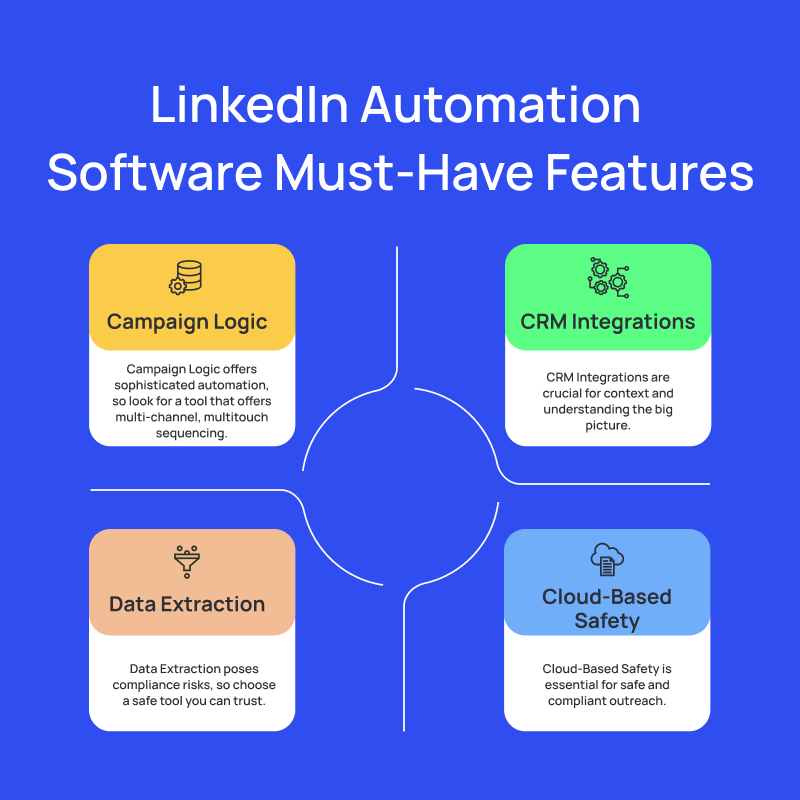
Here are the must-have outreach automation features and capabilities:
1. Cloud-Based Safety (non-negotiable)
Browser extensions are dead. They leak fingerprints, trigger unusual session patterns, and get accounts banned.
Modern tools run using:
- cloud-hosted browsers
- human-like session behavior
- stable IP environments
- realistic navigation patterns
This is the baseline for staying compliant.
2. Data Extraction That Doesn’t Break LinkedIn Rules
Your tool should:
- scrape public LinkedIn data only
- respect view limits
- throttle based on account age
- avoid fingerprint mismatches
Salesflow, for example, uses a compliant extraction layer that avoids the “bot-like velocity spikes” LinkedIn flags. We have a near 0% ban rate and happen to be one of the safest tools on the market.
3. Campaign Logic That Mirrors Human Behavior
Your tool should support:
- variable delays
- randomized send windows
- connection pacing
- smart fallback paths
- reply detection
- multi-channel routing
4. CRM Integrations
If your LinkedIn tool doesn’t talk to your CRM, you’ll end up with:
- orphaned leads
- ghost activities
- missing pipeline
- SDRs manually logging tasks
In 2026, every outbound event should sync automatically. No exceptions.
5. Account Protection Features
Things to look for:
- safety limits
- warm-up for email
- throttling guards
- account health dashboards
- volume normalization
- auto-pausing when a sequence misbehaves
Compliance, Safety, and Human Touch
Compliance on LinkedIn is the difference between a scalable outbound engine and an account restriction waiting to happen. LinkedIn’s detection systems now analyze behavior very thoroughly: how you navigate, how fast you act, how repetitive your messages are, and whether your patterns seem natural.
That’s why the safest automation is about sending messages in a way that fits naturally into LinkedIn’s environment. Consistent pacing, realistic activity patterns, clean data, and varied messaging all signal legitimacy. Aggressive volume, stale enrichments, and templated repetition signal risk.
The “human touch” is about maintaining the judgment and context that automation can’t replicate. Tools handle delivery; humans handle relevance. When those two layers stay distinct, outreach feels natural to recipients and invisible to LinkedIn’s detection systems.
In 2026, compliant outreach is simply good outreach: data-driven, context-aware, paced naturally, and powered by systems that amplify your work.
Turning Automation Into Outcomes
Most teams build automation; few actually get outcomes from it. The difference usually comes down to whether the system has a feedback loop. You can have the best tool, perfect sequences, and beautiful ICP definitions, but if you’re not measuring the right signals and adjusting your workflow around them, your outreach becomes a black box you “hope” works.
For LinkedIn to work, you need to know what good performance looks like, how to diagnose the weak link in a campaign, and how to tune your system without breaking its safety.
That’s what this section is about: understanding what the data means.
Measuring LinkedIn Automation Success
LinkedIn outreach rises or falls on a few core metrics. Salesflow pulls them into one place, adds context, and shows how they evolve over time, which is exactly what you need if you want to operationalize your outreach right.
Connection Acceptance Rate: This is your ICP accuracy check. Salesflow visualizes acceptance across campaigns so you can see which audiences are aligned and which ones should be retired.
Reply Rate: Reply rate shows resonance. Salesflow breaks replies down by message step/channel, so you see exactly where conversations die.
Positive Replies
This is where pipeline begins. Salesflow tags and isolates positive replies so you can clearly see which sequences and audiences consistently turn into opportunities.
Meetings & Pipeline Influence
With CRM syncing, you can track which campaigns are responsible for booked meetings. Because “replied” isn’t the same as “booked”.
Trend Analysis
Salesflow’s week-over-week performance views help teams see whether they’re improving, plateauing, or slowly drifting toward irrelevance.
With Salesflow, you can monitor all this and more through our analytics dashboard. You can see it here in action:
If you’re curious about how Salesflow fits into your outbound workflow, give us a try with our 7-day free trial. Sign up here.
The Future of LinkedIn Automation and AI in 2026
AI isn’t taking over outbound, it’s finally being used where it actually helps: the insight layer, not the copywriting layer. Here’s where things are shifting:
- AI is moving upstream into targeting: understanding patterns in your data and showing which ICP slices create pipeline.
- Sequences are becoming adaptive: pacing changes automatically based on engagement signals, domain health, and account behavior.
- Context is becoming the real differentiator: AI will pull from your CRM, previous touchpoints, job changes, and buying signals to create relevance that doesn’t feel fabricated.
- Safety layers will get smarter: tools will know when to slow down your activity before LinkedIn notices.
- Outbound teams will increasingly rely on analytics, not intuition, to decide which campaigns deserve volume and which ones need to be scrapped.
The next era of outbound will reward teams who use data to stay precise, relevant, and timing-aware. And Salesflow is moving in the same direction: using performance data to help teams refine targeting, messaging, and timing.
Our tool handles the repetition; the humans handle the judgment; the analytics tell you what to fix next. Together, you finally get predictable pipeline.
Build Your Data-Driven, 2026-Ready, LinkedIn Lead Gen Engine
Outbound on LinkedIn didn’t get harder in 2026; it just stopped rewarding teams who rely on luck. The teams that win now are the ones treating LinkedIn like a data system. Clean scraping → accurate enrichment → safe automation → intelligent feedback loops. That’s the game.
When you combine those layers, outbound becomes measurable instead of mysterious. You stop guessing which audiences to target. You stop rewriting sequences that weren’t the problem in the first place. And you stop scaling activity that doesn’t translate into pipeline.
At its core, LinkedIn automation is simple:
Better data → better targeting → better conversations → better revenue.
Everything else is noise.
And this is exactly where Salesflow fits: a system that keeps your outreach compliant, your data clean, your workflows efficient, and your performance visible. Not automating for the sake of automation, but rather automating the non-value-added, repetitive parts.
If you want to build a LinkedIn engine that compounds, this is the moment to start. Start building your data-driven and compliant multi-channel automation workflow today. Your future pipeline will thank you.
FAQs:
.svg)
.png)

.png)