.png)
Prefer listening?
Hear the audio version of this article here:
How to Automate LinkedIn Outreach: Tools, Setup, and Campaigns
You know what’s really killing your LinkedIn outreach?
Hint: it’s not your messaging.
It’s the three hours a day you spend just clicking buttons. Send invite. Wait. Send another message. Wait. Follow up. Repeat until your wrist aches, and you’ve only reached fifteen people.
Sure, messaging and personalization have a part to play, but when you’re only reaching 15 people/day, there’s only so much you can get right, or wrong. The real problem isn’t what you’re saying, it’s how much time you’re wasting just trying to say it.
Thankfully, there’s a better way.
LinkedIn automation, when done right, becomes an extension of you. It handles repetitive clicks, follow-ups, and scheduling, so you can spend your time where it counts: talking to people and leading conversations.
Of course, LinkedIn automation comes with its caveats, but that’s why you have this guide. Here, we will guide you through the process of automating LinkedIn outreach the right way: safely, effectively, and simply. Let’s jump in.
Getting Started with LinkedIn Automation
Before you dive into tools and campaigns, it helps to understand what LinkedIn automation really means.
At its best, automation is about consistency and scale: reaching more of the right people without burning hours on repetitive tasks. At its worst, it’s spammy and risky.
Getting started is about knowing the difference, setting the right expectations, and building a foundation that won’t get your account flagged.
How to Automate LinkedIn: The Basics
LinkedIn automation is essentially software that mimics human behavior on the platform: sending connection requests, following up with messages, viewing profiles, endorsing skills, and engaging with content.
The goal is to let it handle the repetitive tasks that eat up your day so you can focus on the conversations that matter.
Having said that, automation isn’t a magic button that turns cold contacts into closed deals. Automation gets you in the door, but you still need to show up for the conversation.
Why automate in the first place?
For B2B sales teams, automation means predictable pipeline. Instead of hoping your SDRs remember to follow up, the system does it automatically. You're booking more discovery calls because you're reaching more decision-makers consistently.
Recruiters use automation to stay top-of-mind with passive candidates. You can nurture relationships over weeks or months, sharing relevant content and checking in without manually tracking every interaction.
If you're building a personal brand, automation helps you engage consistently: liking posts, commenting thoughtfully, and connecting with people in your niche. You're staying visible without living on LinkedIn 24/7.
The common thread? Time.
Automation buys you back hours every week that you can spend on high-value activities: sales calls, candidate interviews, or creating content that positions you as an authority.
Here are the core principles to understand before you set up your first campaign:
What Can You Automate?
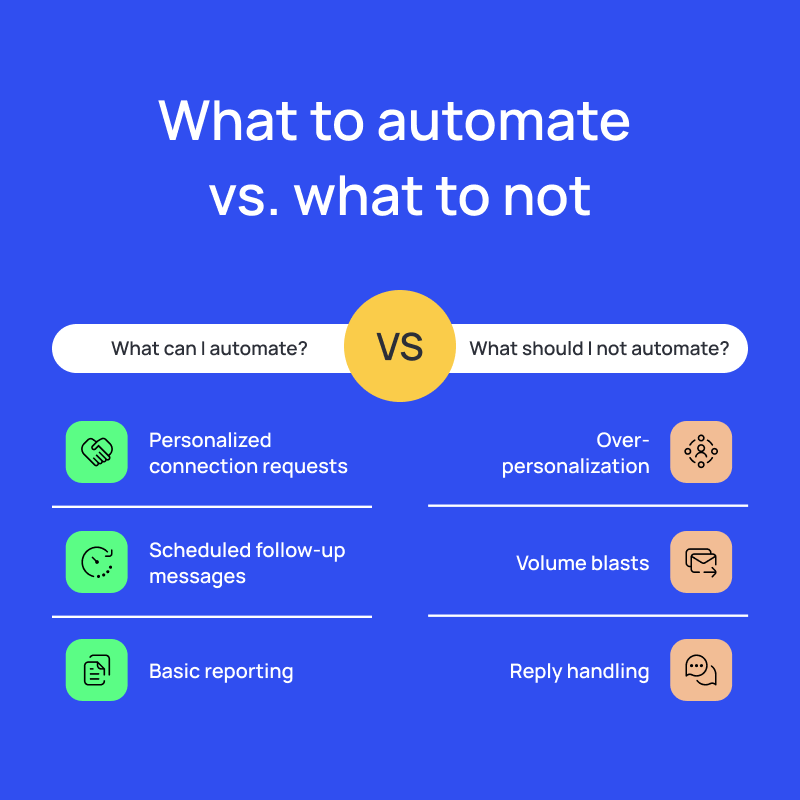
- Connection requests: Automate sending invites to your target audience while keeping them personalized with context (like industry, role, or mutual interests).
- Follow-up messages: Schedule a sequence of polite nudges so no conversation falls through the cracks.
- Campaign scheduling: Automation tools can drip outreach over days and weeks.
- Basic reporting: Many tools will track acceptance, reply, and conversion rates for you.
What You Shouldn’t Automate
- Reply handling: Once someone responds, that’s where you jump in; no tool can replace genuine conversation.
- Over-personalization: Dropping random details from someone’s profile can backfire. Keep personalization light and relevant.
- Volume blasting: LinkedIn flags unnatural activity, so pick a safe tool.
LinkedIn Automation for Beginners: Common Mistakes to Avoid
If you’ve ever seen someone complain that “LinkedIn automation just doesn’t work,” it’s usually because they treated it like a numbers game.
More messages, more invites, more touches. But you can’t win at LinkedIn outreach by scaling volume, with or without automation. Here are the mistakes that separate people who make automation work for them from those who burn their accounts in a week:
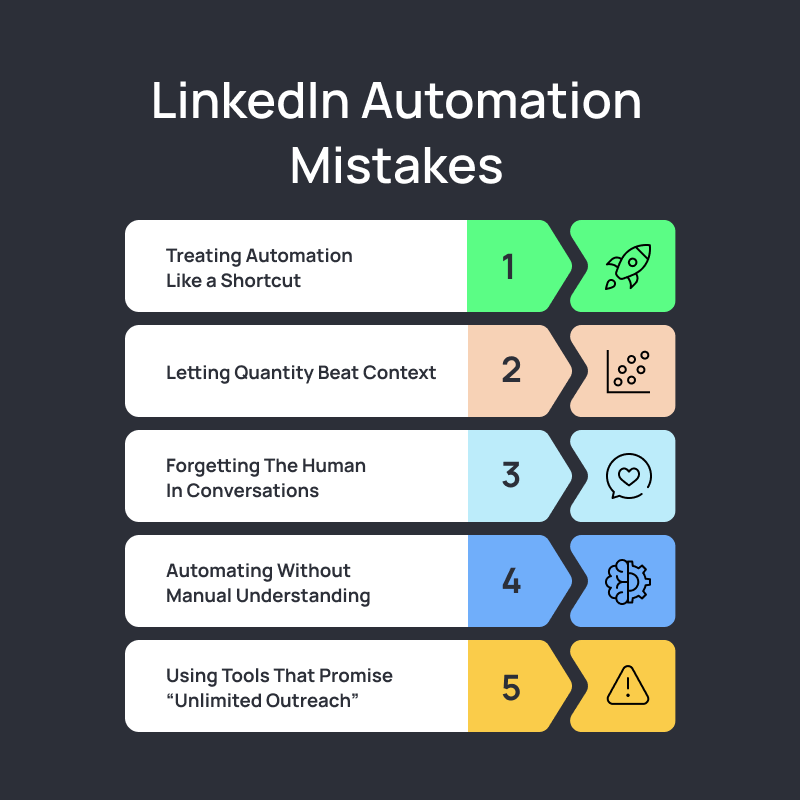
- Treating Automation Like a Shortcut
The biggest misconception is that automation will do your outreach for you. Automation just helps you do more of it, faster and with fewer manual steps. The strategy, targeting, and message still have to come from you. Automation amplifies whatever you feed it. If that input’s bad, all you get is quicker failure.
- Letting Quantity Beat Context
LinkedIn’s algorithm doesn’t punish activity; it punishes unnatural activity. If your account suddenly sends 100 invitations a day to random titles, LinkedIn knows. The same goes for blasting messages that don’t fit your audience. A campaign that sends 20 perfectly targeted, well-written messages will outperform a 500-message spam every time.
- Forgetting That Conversations Still Need Humans
The follow-up message is where most deals happen, and while that is something you can automate, you shouldn’t be automating replies. Tools like Salesflow automatically pause sequences after a reply to prevent this faux pas.
- Automating Before You Understand the Manual Process
If you can’t get results manually, automation won’t fix that. In fact, it’ll only multiply your mistakes. Run a few outreach cycles by hand first, test messaging, targeting, and tone. Once you’ve got something that works on a small scale, then automate it.
- Using Tools That Promise “Unlimited Outreach”
That’s not a feature, that’s a red flag. The safest tools are the ones that limit your activity on purpose, because they’re built to mimic natural human behavior. Any platform promising “thousands of messages per week” is essentially telling you it doesn’t care about your account’s lifespan.
LinkedIn Automation Software Guide: What to Look For
The tool you pick decides how far you can scale and how safely you can do it.
A good LinkedIn automation platform should feel invisible: it runs reliably in the background, protects your account, and gives you the control to personalize at scale.
The wrong one? It can tank deliverability, trigger restrictions, or make your outreach look spammy overnight.
Here are a few things you should look out for:
1. Cloud-Based Infrastructure
Always choose a cloud automation tool, not a browser extension.
- Browser tools run inside your session and mimic human clicks, which LinkedIn can detect.
- Cloud tools (like Salesflow) operate securely on external servers, randomize send patterns, and run even when your laptop’s closed. This setup keeps your account safe and allows true “set and forget” automation.
2. Safety and Compliance Controls
A reliable platform should help you stay within LinkedIn’s limits. Look for:
- Customizable limits for connection requests.
- Smart throttling and auto-pausing on reply.
- Activity randomization to mimic real behavior.
Salesflow offers all this and more.
3. Personalization and Campaign Management
Your tool should make personalization easier.
- Use dynamic fields ({first_name}, {company}, {industry}) that sound authentic in bulk.
- Build and test multi-step campaigns with touchpoints spaced over days.
- Duplicate winning campaigns for other team members without rewriting from scratch.
Automation means nothing if your data stays siloed.
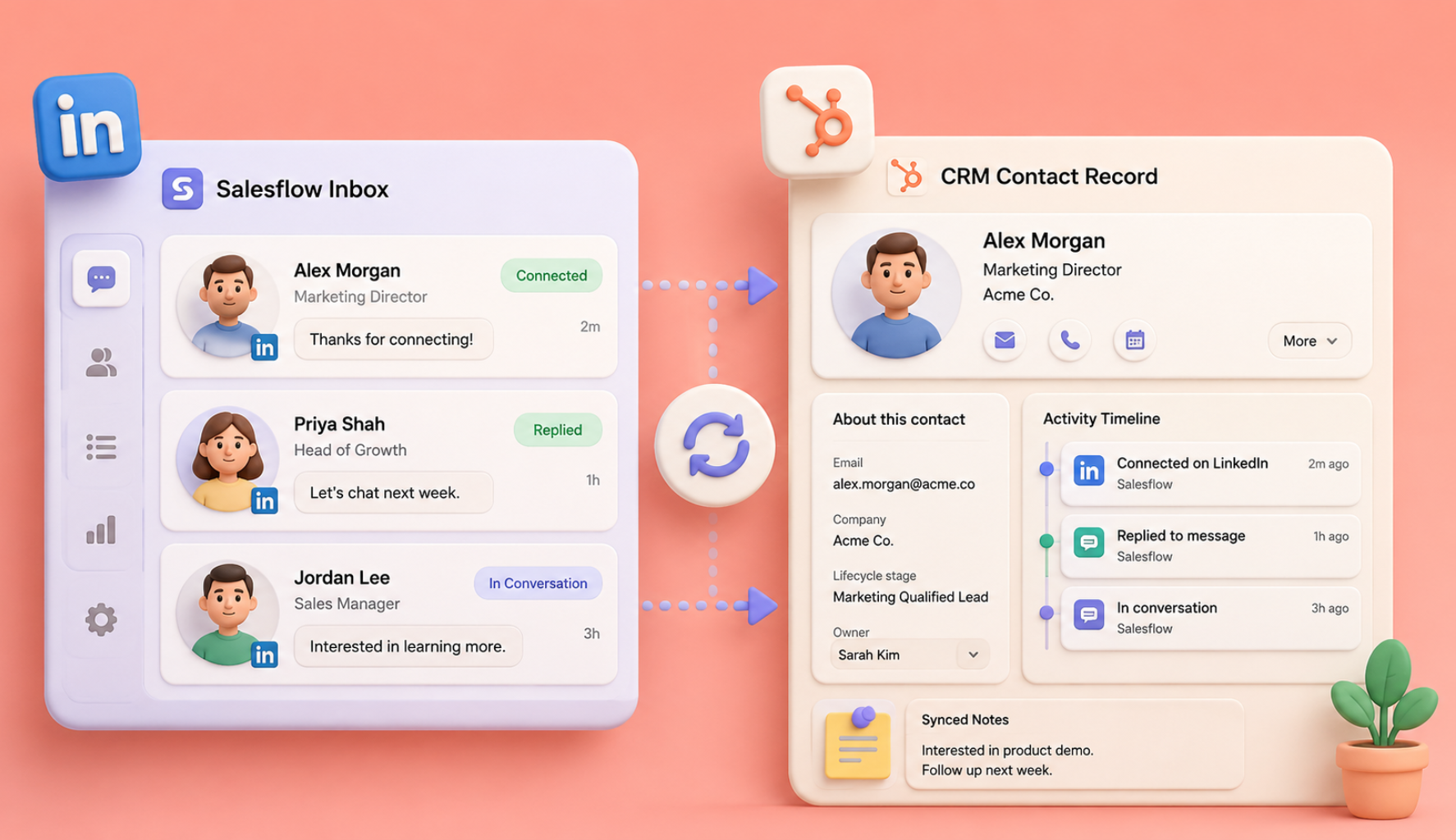
- Choose tools that sync replies, leads, and notes directly into your CRM.
- Salesflow, for example, integrates with HubSpot, Pipedrive, and Zapier, so every positive reply becomes a visible lead without manual updates.
5. Analytics That Matter
Don’t settle for vanity metrics like “messages sent.” Focus on:
- Acceptance rate: Are your invites relevant?
- Reply rate: Is your message hitting the mark?
- Conversion rates: How many leads are truly converting?
A good dashboard shows all three, and more, side by side, so you can adjust fast and scale what works.
LinkedIn Automation Setup: Building a Strong Foundation
Once you understand what not to do, the next step is setting up your automation the right way: slow, structured, and safe.
Think of it like building a routine that your account can sustain over time. The goal is to warm up your system, fine-tune your targeting, and create a setup that runs smoothly in the background.
Step-by-Step Guide to Setting Up LinkedIn Automation Tools
Setting up LinkedIn automation is about creating a system that feels natural to LinkedIn and to the people you’re reaching out to. Let’s see how you can do just that:
1. Install LinkedIn Automation Cloud
Before you do anything else, make sure you’re working in the cloud. Browser extensions might look tempting: they’re cheap, quick to install, and get you sending invites in minutes.
The problem? They run directly through your browser and mimic your activity in real time, which LinkedIn can detect.
Salesflow, by contrast, runs in the cloud, meaning your campaigns continue even when your computer is off, and your account stays safe with human-like behavior patterns. Every action (connection request, message, profile visit) is randomized and throttled to mimic natural usage.
Cloud-based automation also scales far better. If you’re managing multiple accounts, whether for a sales team or agency, you can monitor performance, pause campaigns, or onboard new team members instantly without juggling logins or browser tabs.
2. Configure Your LinkedIn Automation Tool
Once your account is connected, resist the urge to crank up the volume. Salesflow lets you customize every limit, daily connection requests, message sends, and follow-ups, so you can start small and scale safely.
Here’s a healthy baseline to begin with:
- 20-30 invites/day for new accounts, up to 45 once you’ve built a solid reputation.
- 20-30 messages/day spread across active campaigns.
- Randomized send times and short breaks between actions.
Next, set up personalization tokens like {firstname}, {company}, or {industry}. In Salesflow, you can insert these directly into your templates, too.
See it in action here:

Salesflow on your mind? Sign up for our 7-day free trial and experience just how powerful multi-channel automation software can be!
3. LinkedIn Invitation Automation Guide
Connection requests are the first impression of your outreach, and they decide whether someone ever sees your message sequence. The goal isn’t to send hundreds of invites; it’s to send ones that get accepted.
1. Keep your daily limits safe
LinkedIn tracks how often and how fast you send invites, so pacing matters more than volume.
- Start small: Around 20-30 connection requests per day for new accounts.
- For seasoned profiles, you can safely scale to 30+ daily.
- Salesflow automatically randomizes timing between requests, mimicking real user behavior to keep your account safe.
A good rule: consistency beats spikes. Sending 20 invites a day, every day, outperforms sending 100 once a week.
2. Add context to every invite, or keep it blank
Avoid superficial invites (“Let’s connect!”). Instead, either reference context:
- Shared industry or community
- A post, comment, or topic you both engage with
- A simple reason for reaching out
Or keep it blank!
When your requests feel contextual, acceptance rates rise naturally, and anywhere between 25% and 50% is a healthy benchmark.
4. Set Up Your LinkedIn Message Campaigns
Once your limits and personalization are configured, you’re ready to build your first campaign.
The best-performing Salesflow users think in touchpoints, not messages. Instead of writing one long pitch, map out a short, natural sequence that mirrors a real conversation:
- Touch 1: Connection request: short, relevant, and friendly.
- Touch 2: A soft follow-up offering something useful or starting a conversation.
- Touch 3: A gentle reminder or fresh angle if they haven’t replied.
Finally, align every campaign with a clear goal. Are you booking demos? Recruiting talent? Building brand awareness? Your outreach strategy should reflect that.
5. Optimize, Track, and Refine Your Campaigns
Once your campaigns are running, the real work begins: optimization.
Automation isn’t “set and forget”, it’s a feedback loop. The data you collect tells you what to adjust next. Salesflow gives you analytics that go beyond vanity metrics. You’ll see:
- Connection acceptance rates (a direct signal of how good your targeting and invites are)
- Message reply rates (an indicator of copy and timing)
- Response quality (tracked via sentiment tags)
- Campaign performance by segment
Use this data weekly. Pause campaigns that dip below healthy benchmarks (20-50% acceptance, 7-20% replies, and 3-10% conversion rates), tweak messaging, or rework your audience.
For growing teams, this is where Salesflow shines: real-time dashboards let managers track multiple team members’ campaigns side-by-side, spot top performers, and replicate what’s working across accounts.
See the analytics dashboard in action here:
Curious about what Salesflow can do for you? Sign up for our 7-day free trial here and experience Salesflow for yourself!
LinkedIn Cold Outreach Setup: General Best Practices
The best tips for doing cold outreach on LinkedIn come down to three things: targeting, personalization, and pacing.
1. Get your targeting right
Most outreach fails before the first message. Don’t cast a wide net; define exactly who you want to reach.
- Build a tight ICP (title, company size, industry, seniority).
- Go beyond filters: look for intent signals: people who’ve posted recently, changed jobs, or engaged with similar content.
- In Salesflow, you can import saved Sales Navigator searches or upload segmented lists, making targeting consistent and repeatable.
2. Balance personalization with efficiency
You don’t need to write every message by hand; you just need it to sound like you did.
- Add a bit of relevance (“Saw your post on {topic}, loved your take”)
- Use Salesflow’s smart variables ({first_name}, {company}, {role}) to personalize at scale.
- Randomized send patterns ensure your outreach looks organic.
3. Respect LinkedIn’s limits
LinkedIn rewards consistent, natural activity.
- Start small: No more than 30 messages a day per account.
- Space messages at least a few minutes apart.
- Always stop automation when someone replies (Salesflow does this automatically).
Onboarding LinkedIn Bot: Onboarding Your Team and Scaling Automation
Once your own campaigns are running smoothly, the next step is bringing your team into the system.
The goal is to create a repeatable process where everyone follows the same outreach rhythm, shares data, and stays compliant. Let’s dive into how you can achieve this.
How To Onboard Your Team To A LinkedIn Automation Platform?
Onboarding your team is about making sure every person uses automation the same way: safely, consistently, and with intent. Here’s what that looks like in practice:
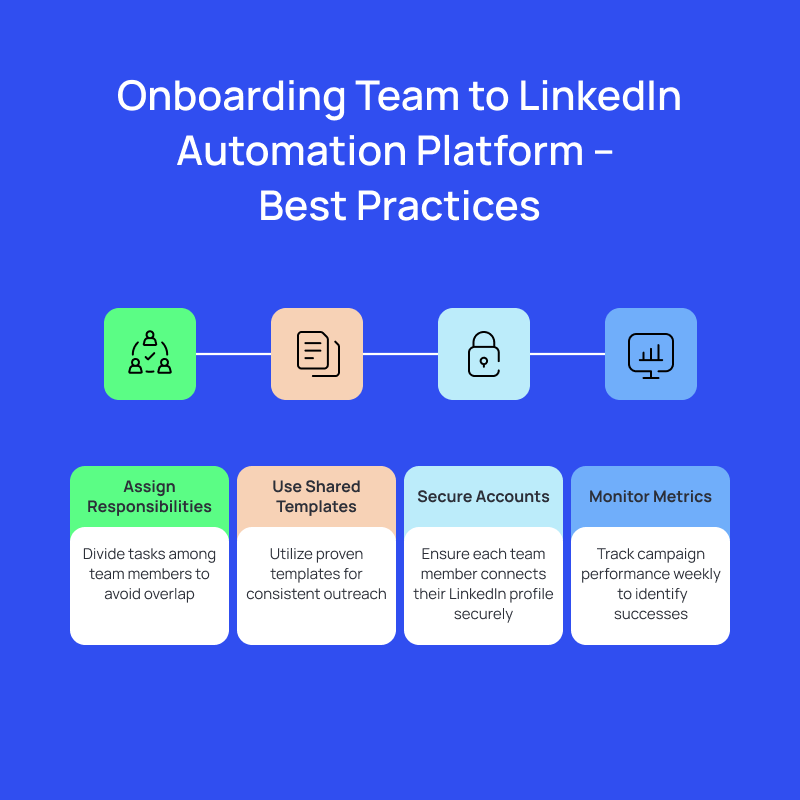
- Give everyone their lane. Split responsibilities: one person builds lists, another writes copy, and someone else reviews replies. Clear ownership prevents overlap and sloppy outreach.
- Use shared templates. Tools like Salesflow let you clone top-performing campaigns so everyone starts from proven copy, but can still personalize before sending. That balance keeps outreach aligned.
- Protect every account. Have each team member connect their own LinkedIn profile through secure cloud login. Salesflow prioritizes account safety so your reputation stays protected.
- Build feedback into the workflow. Once campaigns go live, review metrics weekly. Compare acceptance and reply rates, share what’s working, and double down on it. In Salesflow, you can track all of this from a single dashboard.
How Do I Automate LinkedIn Outreach for B2B Lead Generation?
Here’s a system that works best when it comes to B2B lead generation through LinkedIn:
1. Start with intent, not volume
Most automation fails because people treat it like a numbers game. So, begin with a curated list: 200-300 prospects who fit your ICP and show signs of activity: posting, commenting, changing roles.
Those are your warm doors. Salesflow makes this easy by letting you import segmented audiences directly from Sales Navigator or your CRM.
2. Build message flows that sound natural
The best outreach doesn’t feel like outreach.
- Connection request: short and contextual
- Follow-up 1: value first: a resource, insight, or relevant question
- Follow-up 2: light offer, not a pitch
In Salesflow, you can automate this flow safely with smart delays and auto-pause on reply.
3. Sync, review, and improve continuously
Automation isn’t fire-and-forget, it’s test-and-improve.
- Track acceptance rate, reply rate, and conversion rate.
- Route replies automatically into your CRM and tag them by campaign.
- Review every week: What messaging resonates? Which audiences convert? Then clone what works and kill what doesn’t.
B2B lead generation on LinkedIn is about being consistent where it counts, so make that your goal and hyper-focus on the channels that matter.
Your LinkedIn Automation Playbook
A good LinkedIn automation setup gives you leverage:
- Cloud-based automation that keeps your account safe.
- Campaigns that sound natural and make personalization easier.
- Data that tells you exactly what’s working and what isn’t.
Start lean. Test small lists. Refine your copy until it gets replies. Then automate that.
Every step you systemize, targeting, messaging, and follow-ups, frees you to spend time where it matters most: the conversations that turn into deals.
Salesflow doesn’t replace your outreach; it refines it. Used well, it becomes the quiet engine behind a predictable pipeline, one that scales without spamming.
Ready to see Salesflow in action?
FAQs:
.svg)


.png)